I Tri and Craft

thoughts from a mother of boys, a marathoner, a triathlete, a crafter, a wife, and a scientist


Leave a comment

A Birthday Party Hollywood Style

Awhile ago my nieces made a parody music video which was apparently really funny.  They had been wanting to make another video with some of their friends and decided their 11th birthday party would be the perfect opportunity.

My sister came up with a Hollywood Movie theme with a casting call audition and she employed me to come up with some invitations for her.
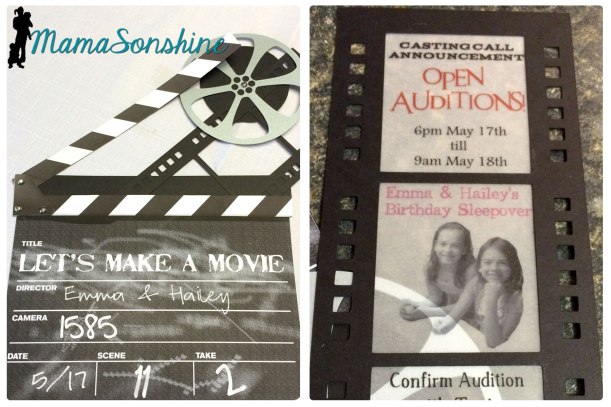
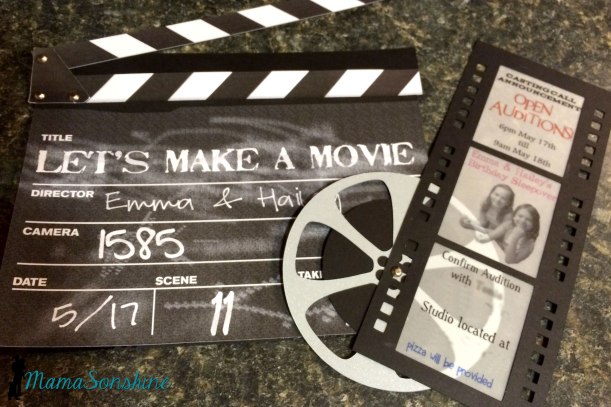
Hollywood Invitation I wanted to make a movie clapper as the envelope, my sister wanted a casting call flyer as the invitation.
MSS_HollywoodParty01


I changed her mind.  I really wanted to make the invitation look like old 35 mm film.  I wanted to print the information on velum with a picture of the girls.
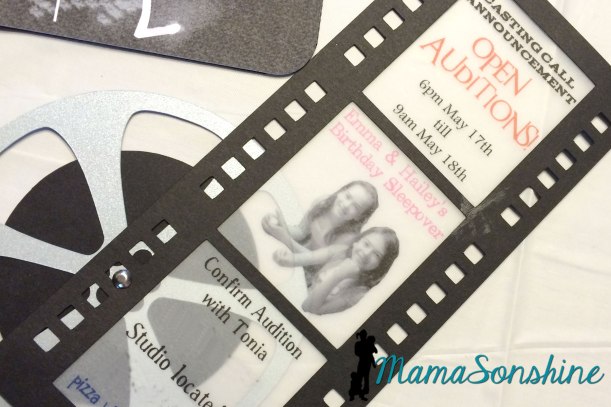
MSS_HollywoodParty04


While the film was the length of the clapper, it wasn’t wide enough.  I didn’t want it to get lost in the envelope pocket so I added the film reel.
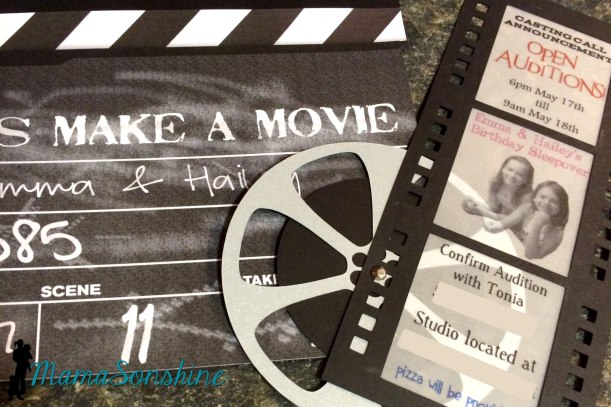
MSS_HollywoodParty02

I used Photoshop to make the clapper image look like a chalkboard.  I then used my Silhouette Cameo to cut all the components out.
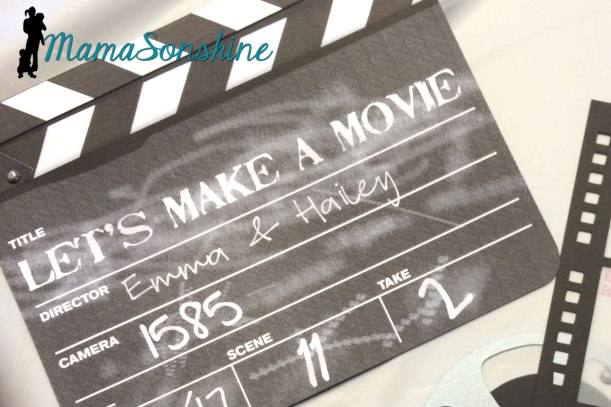
MSS_HollywoodParty05


I used Silhouette’s print n’ cut feature for the front of the clapper, the back is black card stock.  I cut out the main part with the bottom strip as one piece, the triangle on the left and the top strip board were separate pieces.  I used brads to connect the three pieces and allow for movement of the top part.


These invitations are pretty big, and would have been more expensive to mail, but since they were just being handed out at school, we didn’t have to worry about that.
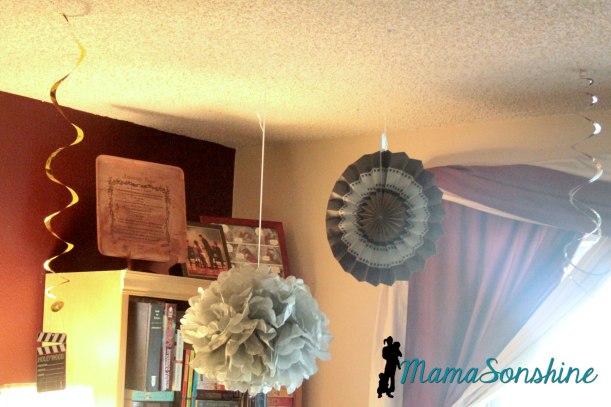
MSS_HollywoodParty15

Luckily Party City had a ton of Hollywood Movie decorations that my sister was able to find.
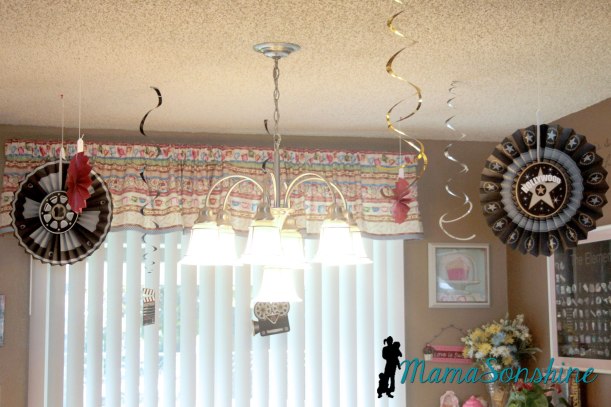
MSS_HollywoodParty14

I know, typically I would have made all these, but time just flew by and before we knew it, it was time for the party and I had no decorations made.
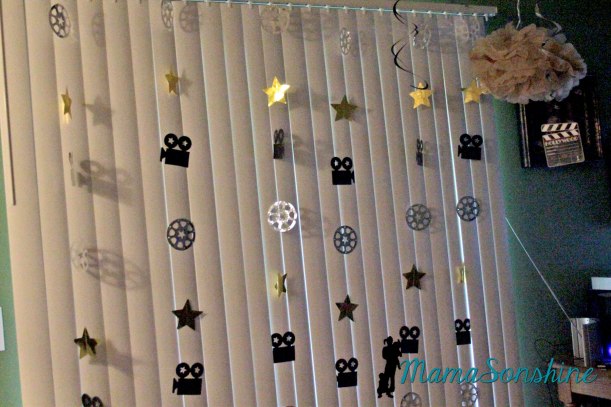
MSS_HollywoodParty10

The family room was set up as a karaoke station.  I don’t know how many times we heard “Let it Go” that night.
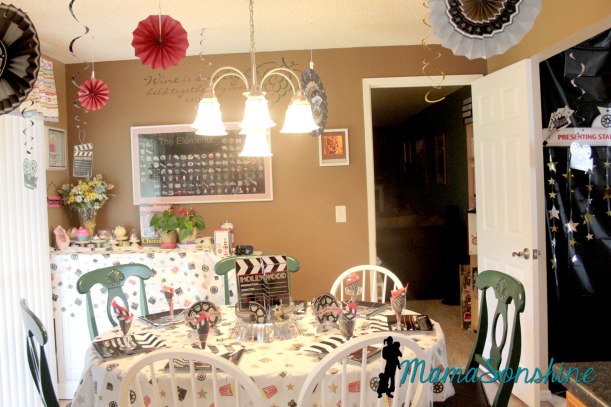
MSS_HollywoodParty12

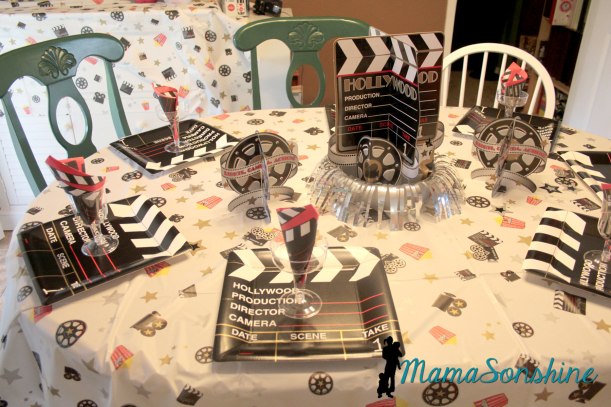
Since it was a slumber party my sister limited the number of guest and we were able to set the table for pizza.
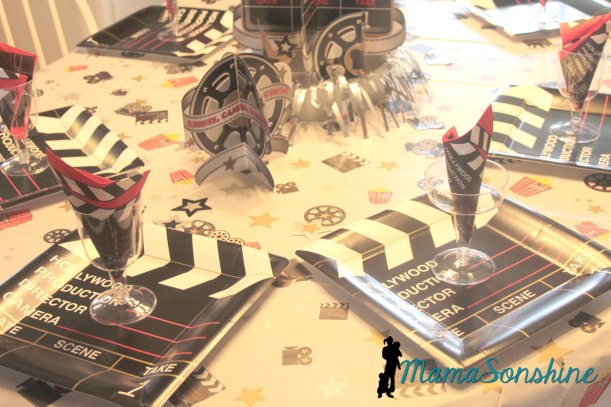
MSS_HollywoodParty13

I have never had a party where we could do a table setting and it was fun!
MSS_HollywoodParty11

My nieces insisted on the plastic wine & champagne glasses.
MSS_HollywoodParty16

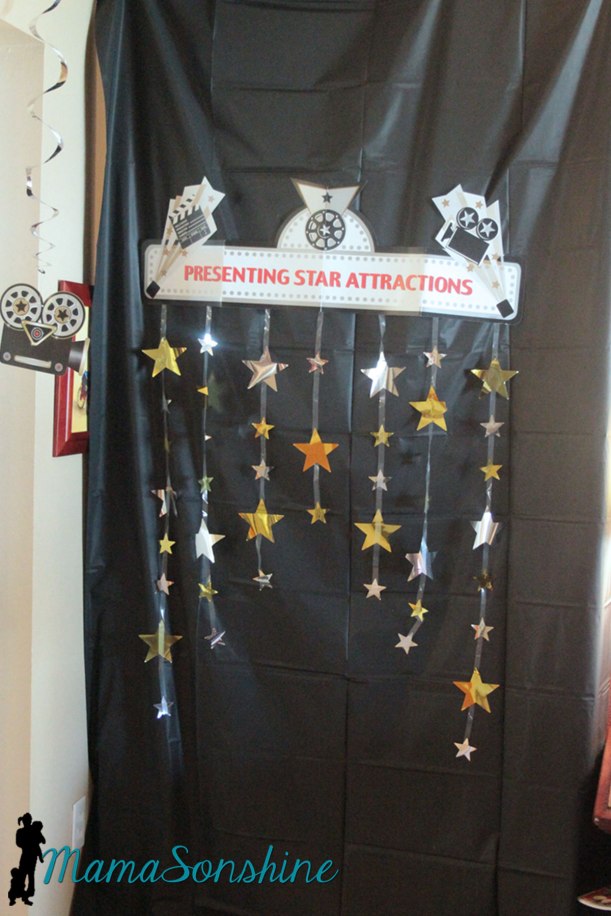
They also had a photo booth set up, and we used a black plastic table-cloth for the back drop.
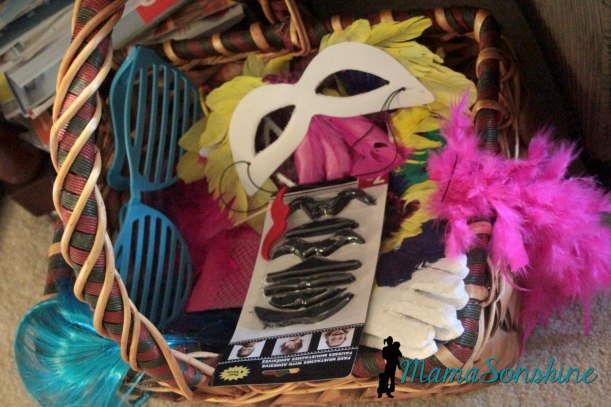
Photo Booth Props

She had a basket full of photo props.
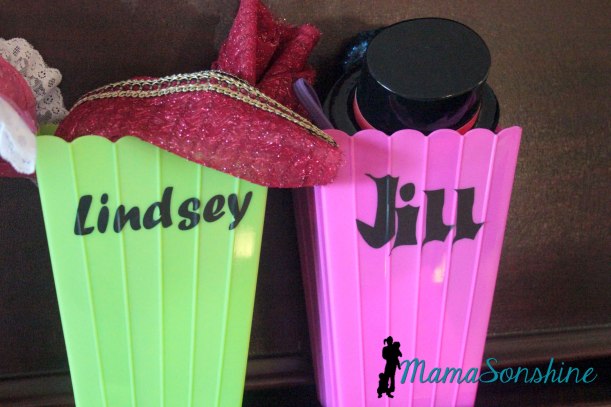
Guest Gifts

Each guest received a popcorn box full of other goodies, like scarves my mom made and little top hat head bands.
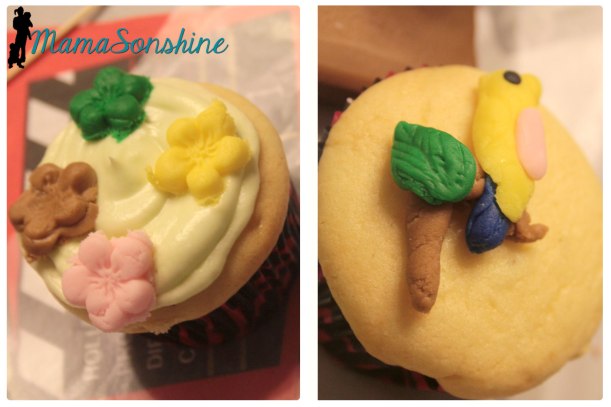
The girls decorated the cupcakes


Since my nieces love playing with fondant, my sister decided to let the kids decorate the cupcakes.  It keeps them occupied and saves on the work for her.

The girls had a great time and got the new video made.  Since I am just the aunt I got to leave after they consumed all the sugar and got all giggly.


Thanks for visiting and remember to Shine On
Dawn Marie


facebook instagram pinterest parties by mamasonshine etsy bloglovin google+ email twitter Image Map

I linked up here:
Creative


Leave a comment

Gift Card Birthday Box ~ Free download

It is Birthday Party Season!


OK. So there is really no Birthday Party Season, most people can’t really plan on when a birthday is.  But it seems like we had a lot of birthday parties to attend in the months of March & April.

For one such birthday I was unsure if we were going to be able to attend.  Kids were sick and so I put off getting a gift, then I decided to stop on the way to the party.

Don’t judge me, you all have done that too.

But, as the saying goes, the best laid plans of mice and men….

The day got away from me and I wouldn’t have time to run in and find a present.  Alone with the kids in tow.  But I could stop and grab a gift card.

You know, there needs to be more dive thru services for things like this.  A gift card ATM.  Go ahead, run with my idea.  Just include me in the royalties.

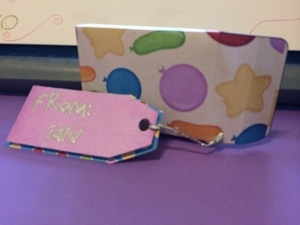
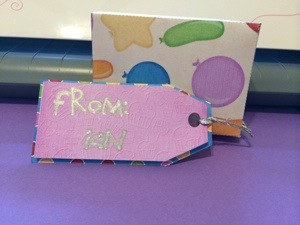
I also knew I wasn’t going to be able to stand around the card isle finding the perfect gift card holder.  But as the baby was sleeping, I did have time to make a little box with a tag.

20140411-150753.jpg


I made a box template and tags in Silhouette Studio and filled them with some digital paper in birthday pattern.

I used the sketch pen feature to address the tag.

It is a little deeper than a gift card, but I filled the space with tissue paper.  I wanted something a little more substantial than an envelope.

The boys and I ran into the store, bought a gift card conveniently located next to the check out counter, and made it to the party on time.

20140411-150727.jpg

For those of you who might find yourself in the same kind of rush you may download this box here.

You will need Adobe Reader, a printer, scissors and glue.

Happy Crafting


Please remember this is for your own personal use only.  You may print the item as many times as you need for your own personal use but please do not forward, share, sell or in any other way distribute this file, or use for any commercial purposes or claim as your own design.  If you would like to feature this item, please do so as a link to this page.  Thank you.


signature-black
facebook instagram pinterest parties by mamasonshine etsy bloglovin google+ email twitter Image Map
Enhanced by Zemanta


21 Comments

Hand Made Decorations for a Pirate Party

This past month I have been busy making Ian’s birthday party decorations.  I wanted to share a few of the items I am making.

I don’t want to spoil the surprise, so this is just a sneak peek at what I can do now that I have my Silhouette Cameo to help me.

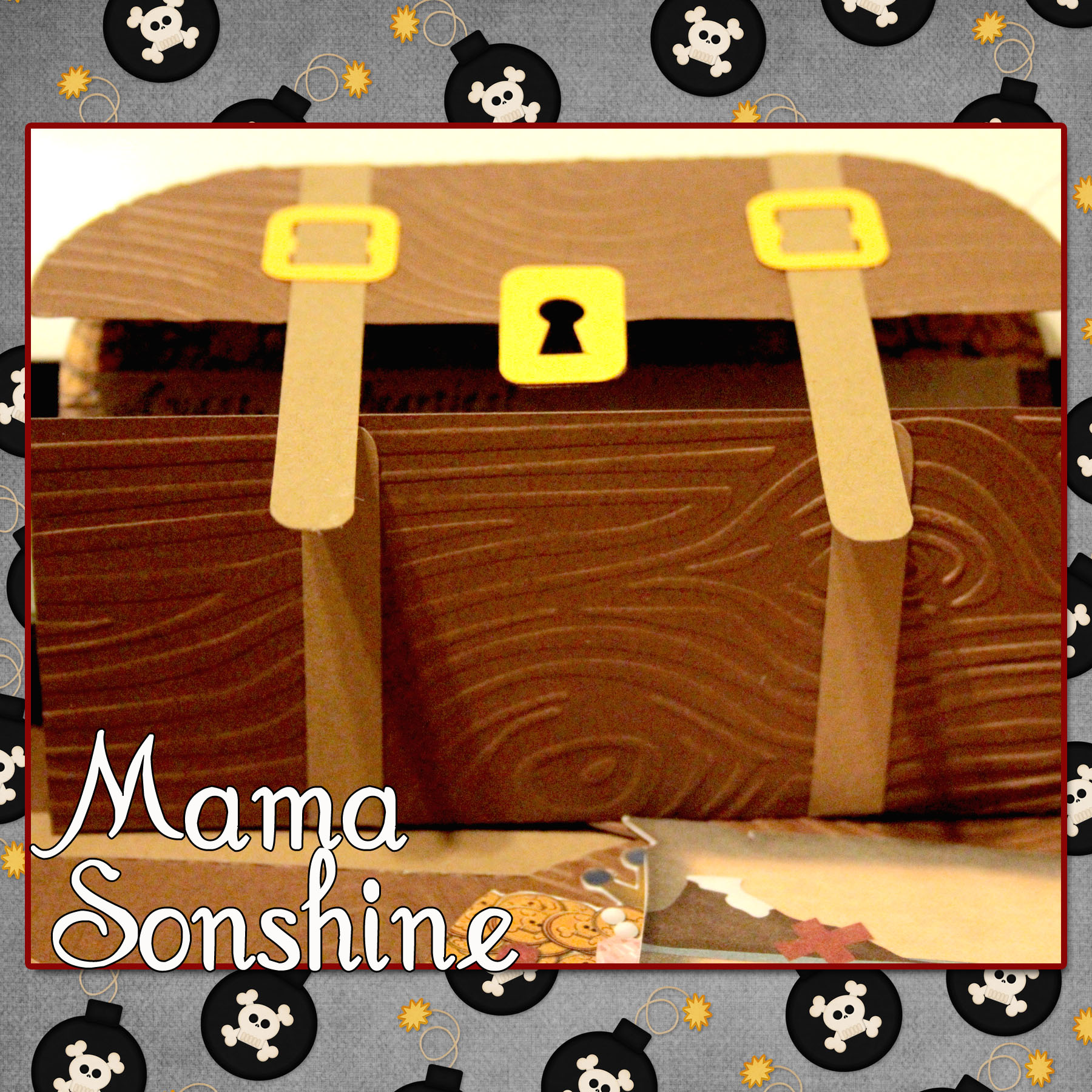
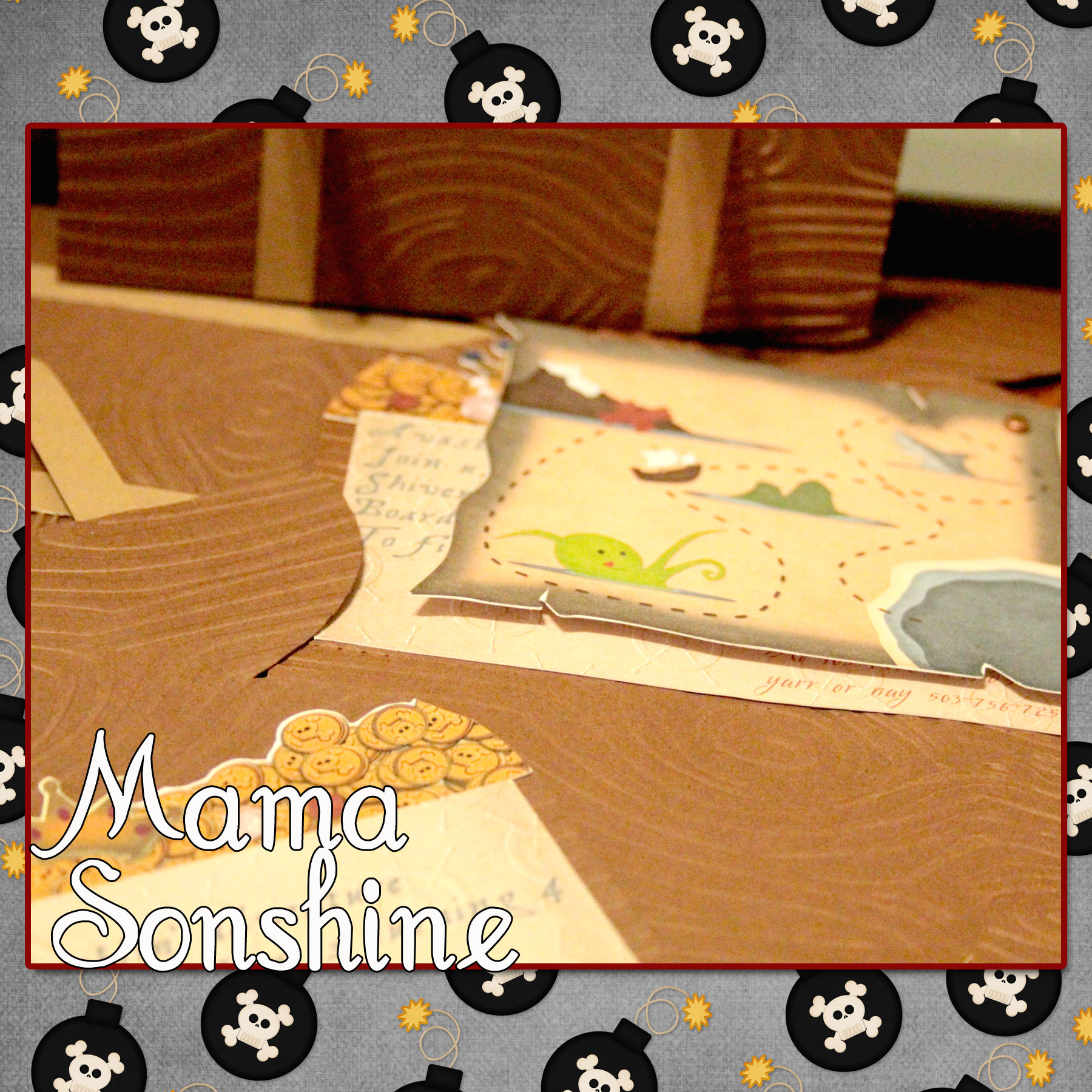
Ian had decided he wanted a pirate birthday party this year.  I wanted his invitations to be pirate chests that open up to revel treasure, and a treasure map.

MSS_MarchSilChallenge09_2014

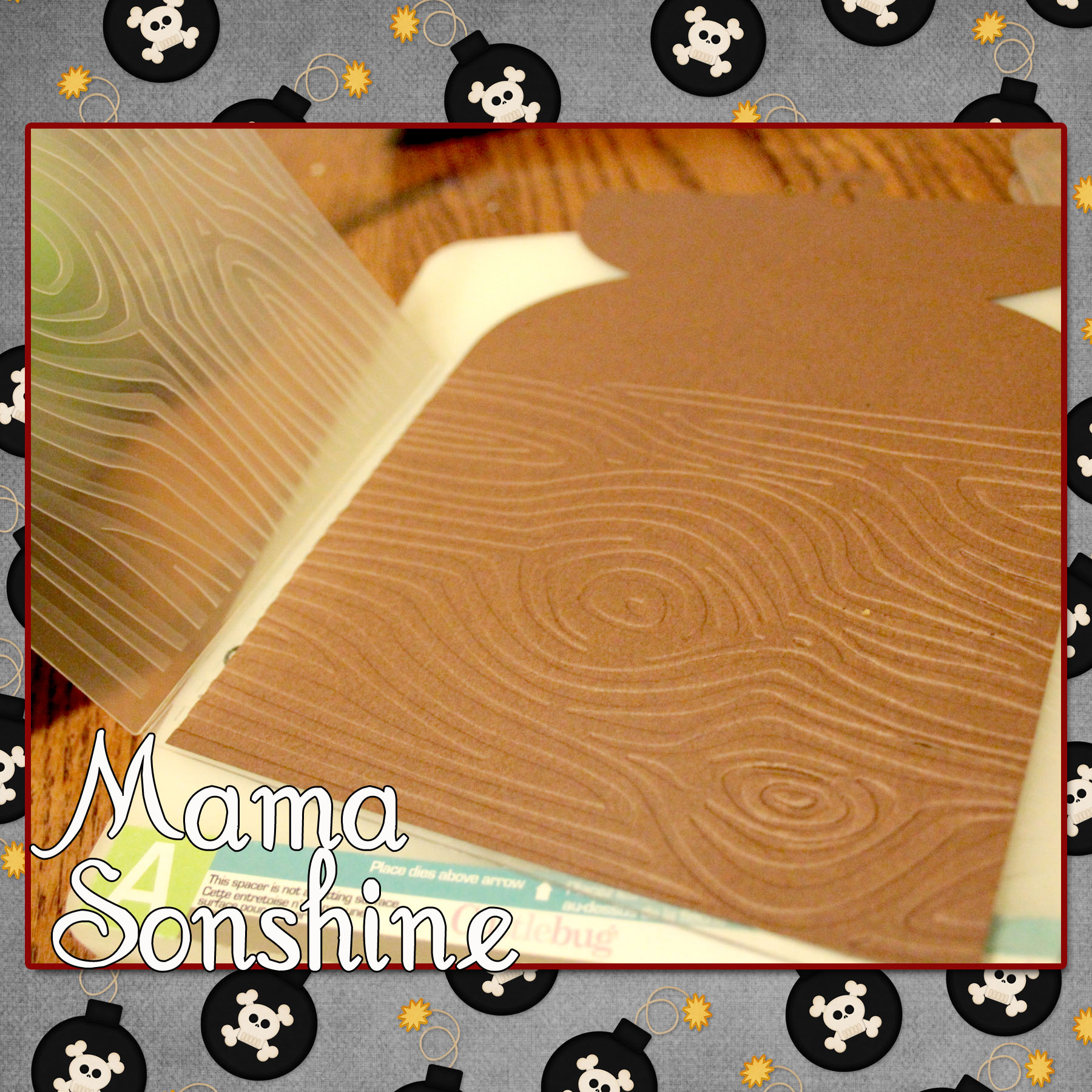
I quickly gave up trying to draw a treasure chest and just purchased a cut file from the Silhouette Studio Store.  After which I ran it through my Cuttlebug to emboss the paper with a wood grain.

MSS_MarchSilChallenge06_2014

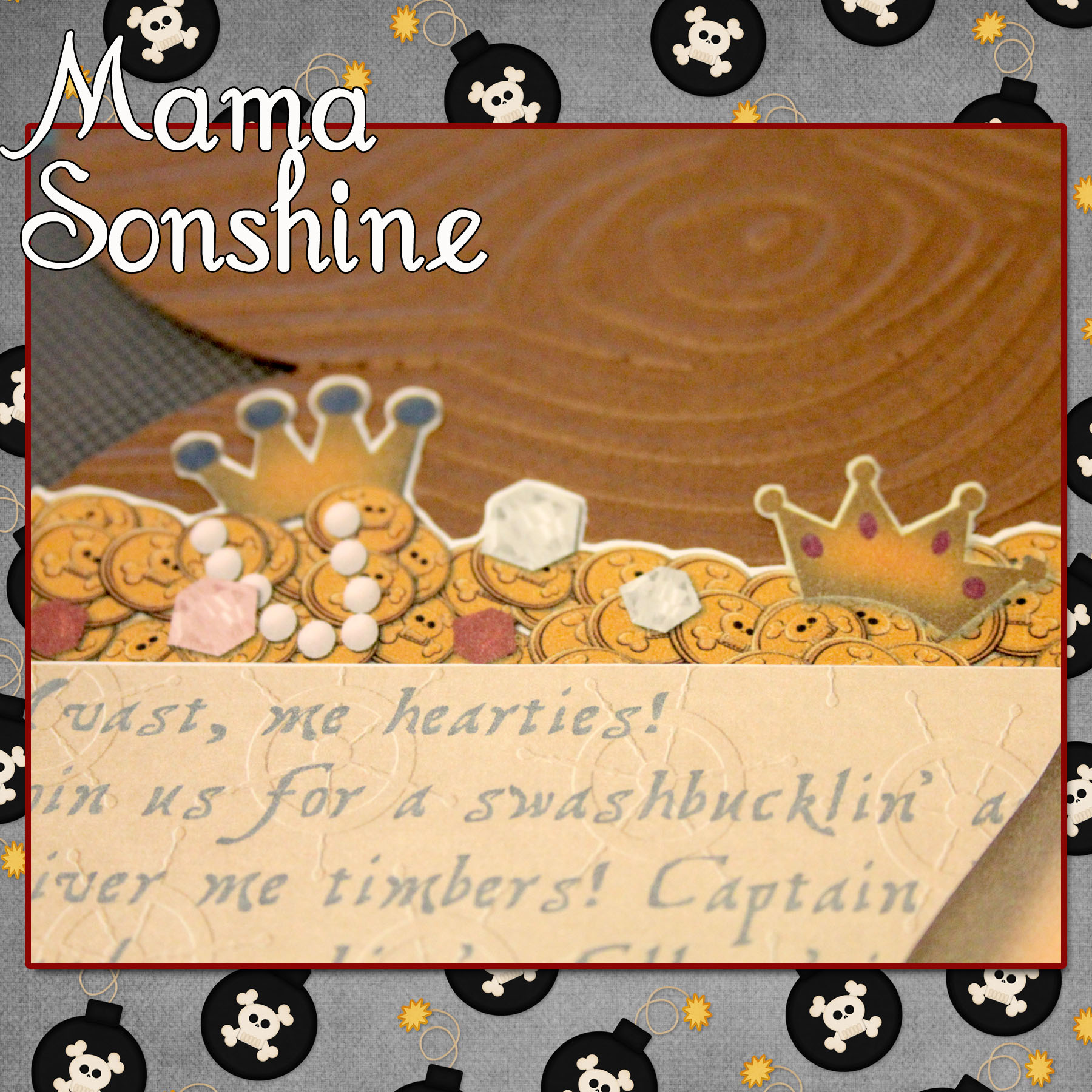
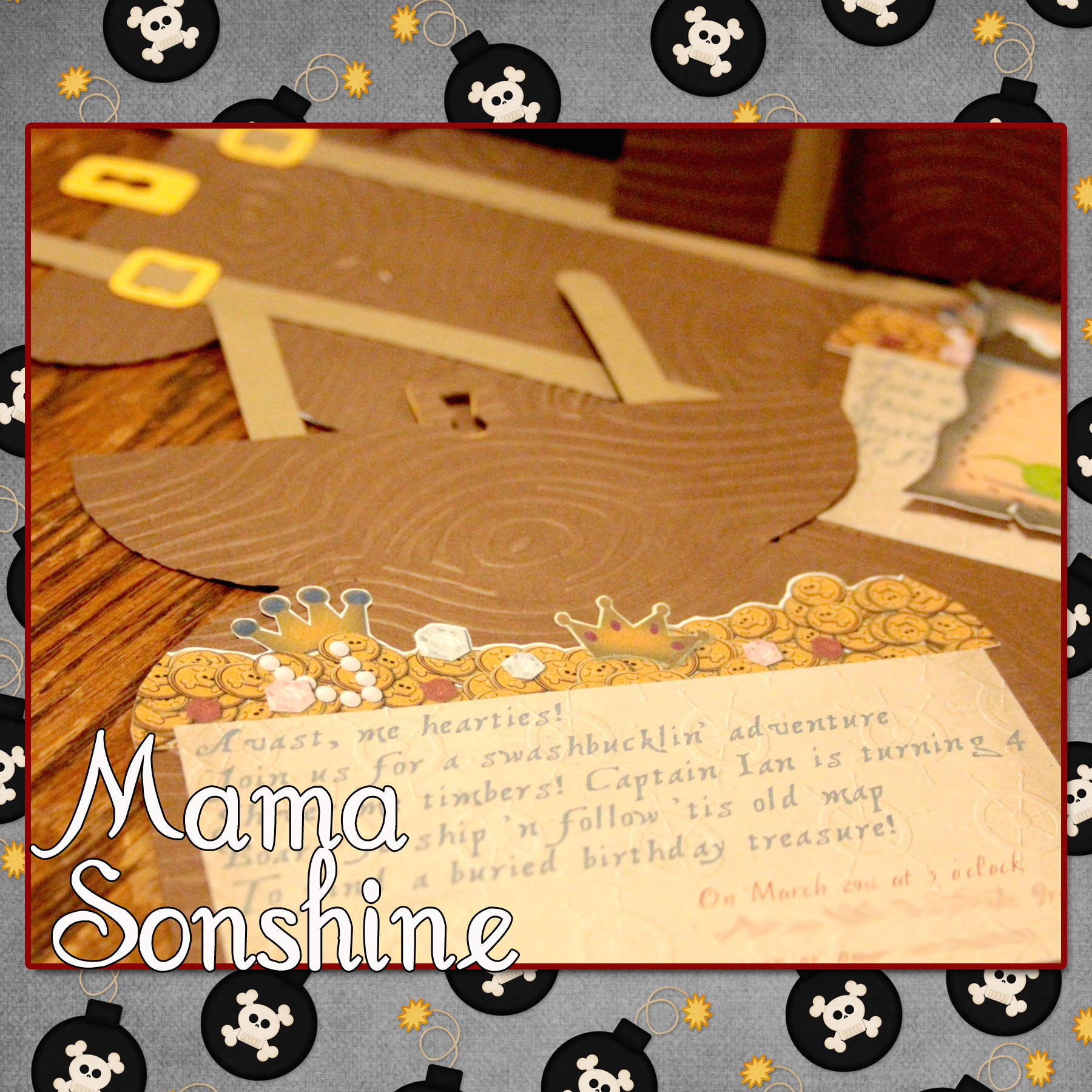
I went to Photoshop and created a picture of coins and jewels that matched the shape of the card.  I imported that image into the Silhouette Studio software so that my machine would cut around all the little shapes for me.

MSS_MarchSilChallenge04_2014

I also created a cut out that would contain all the information on the card.

It says

“Avast, me hearties!
Join us for a swashbucklin’ adventure
Shiver me timbers! Captain Ian is turning 4
Board ye ship ‘n follow ’tis old map
to find a buried birthday treasure!”

MSS_MarchSilChallenge07_2014

I used the digital graphics from Just So Scrappy‘s YoHo Pirate kit (as I will do for various other items I made for this party) to make cut out a treasure map.

MSS_MarchSilChallenge08_2014

The three elements inside the card were made with the Silhouette’s Print ‘n Cut feature, which I think is da bomb!

I cut the treasure chests out in a light brown and dark brown cardstock.  I also cut the straps in the same two colors, I then used the light straps on the dark chest and vice versa.  The buckles and locks were cut out using a gold-colored cardstock.  I glued all the elements together, except the map, which I attached with a brad so it can be moved.

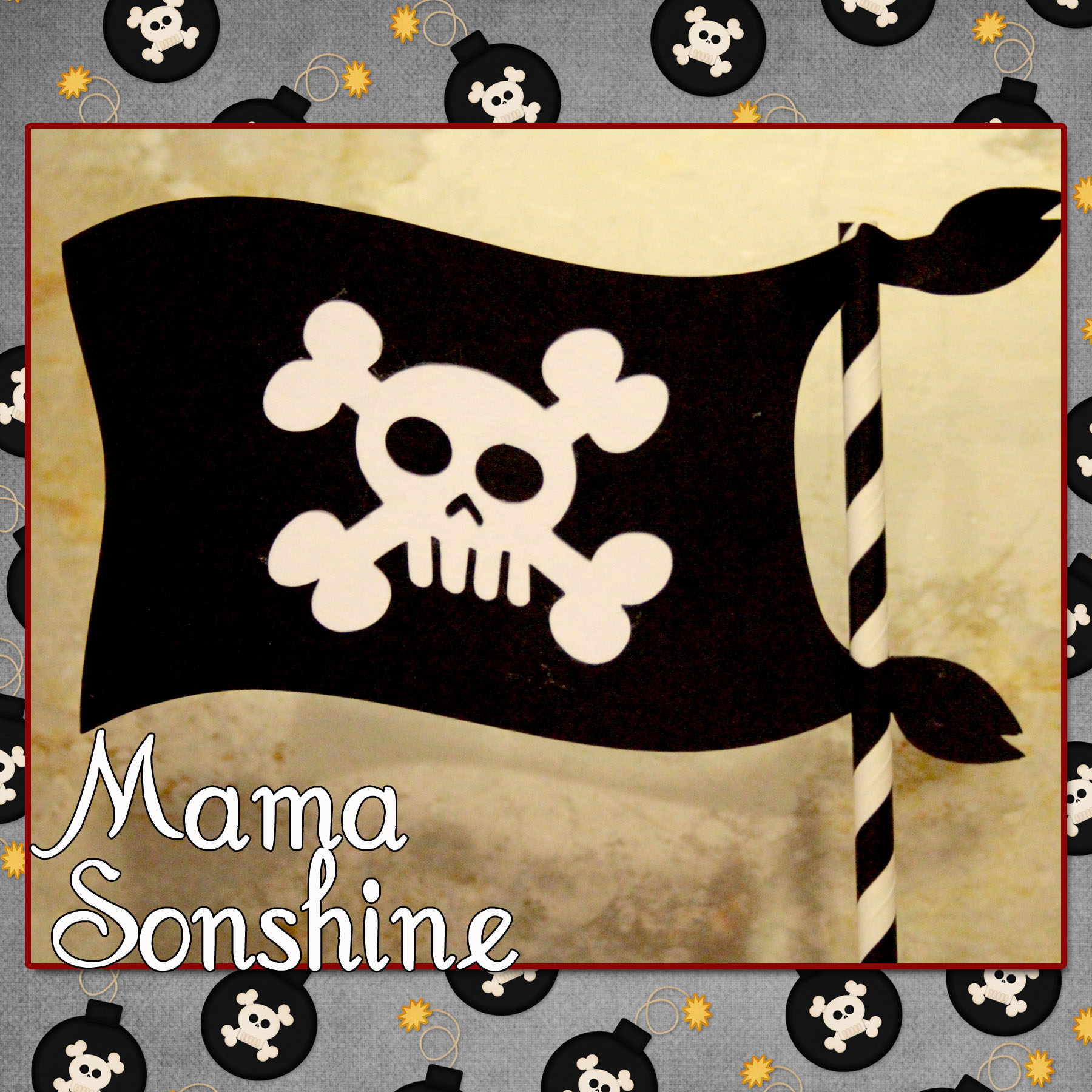
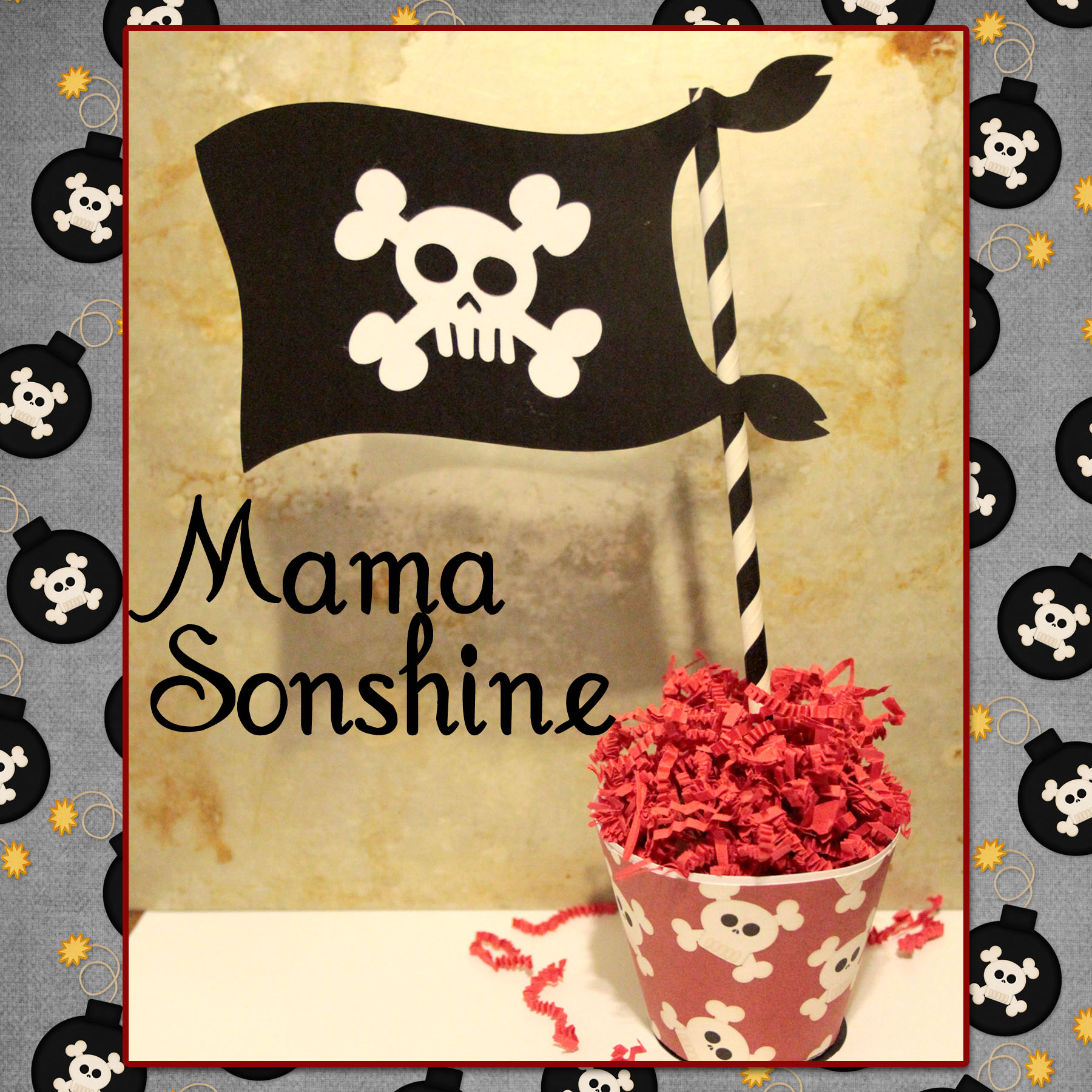
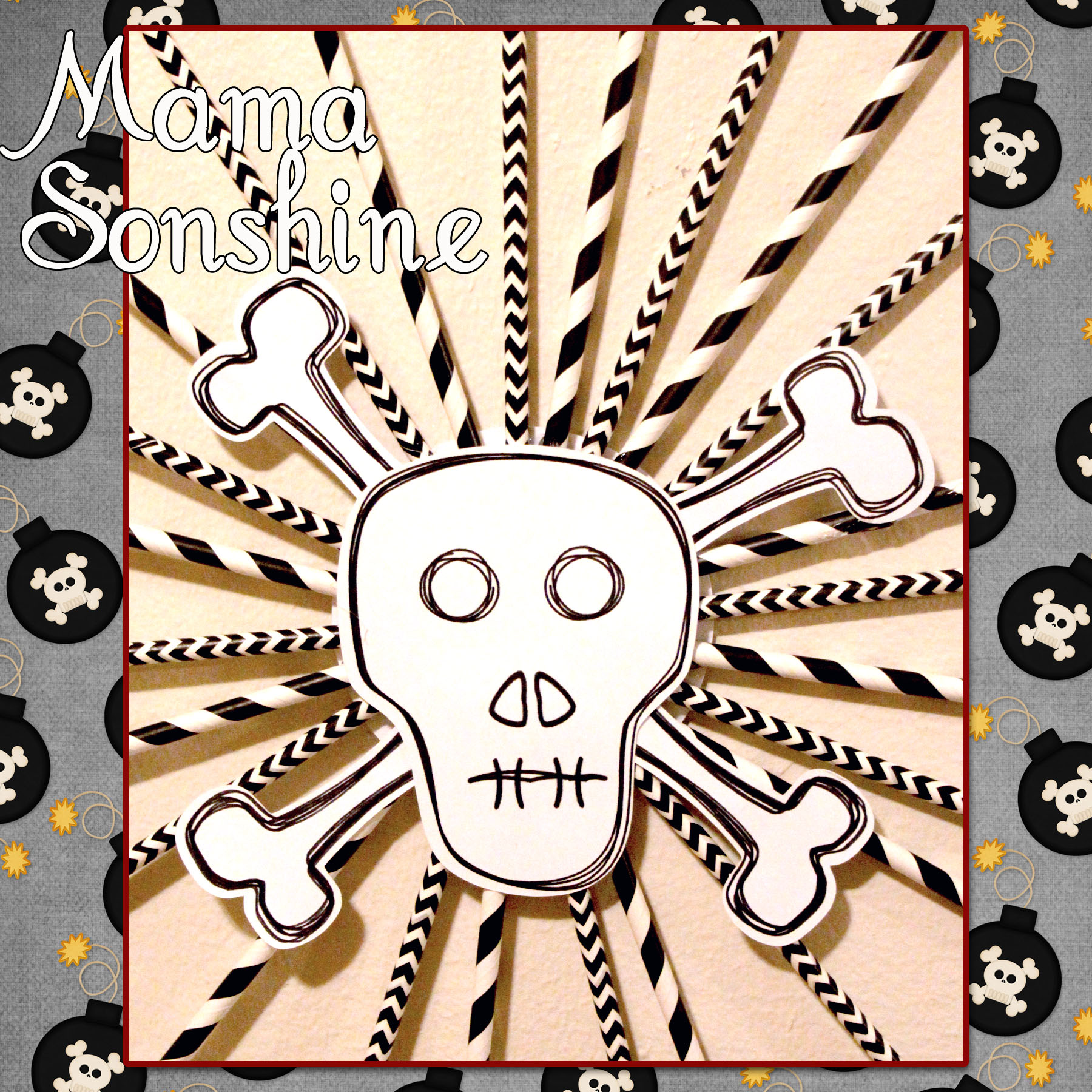
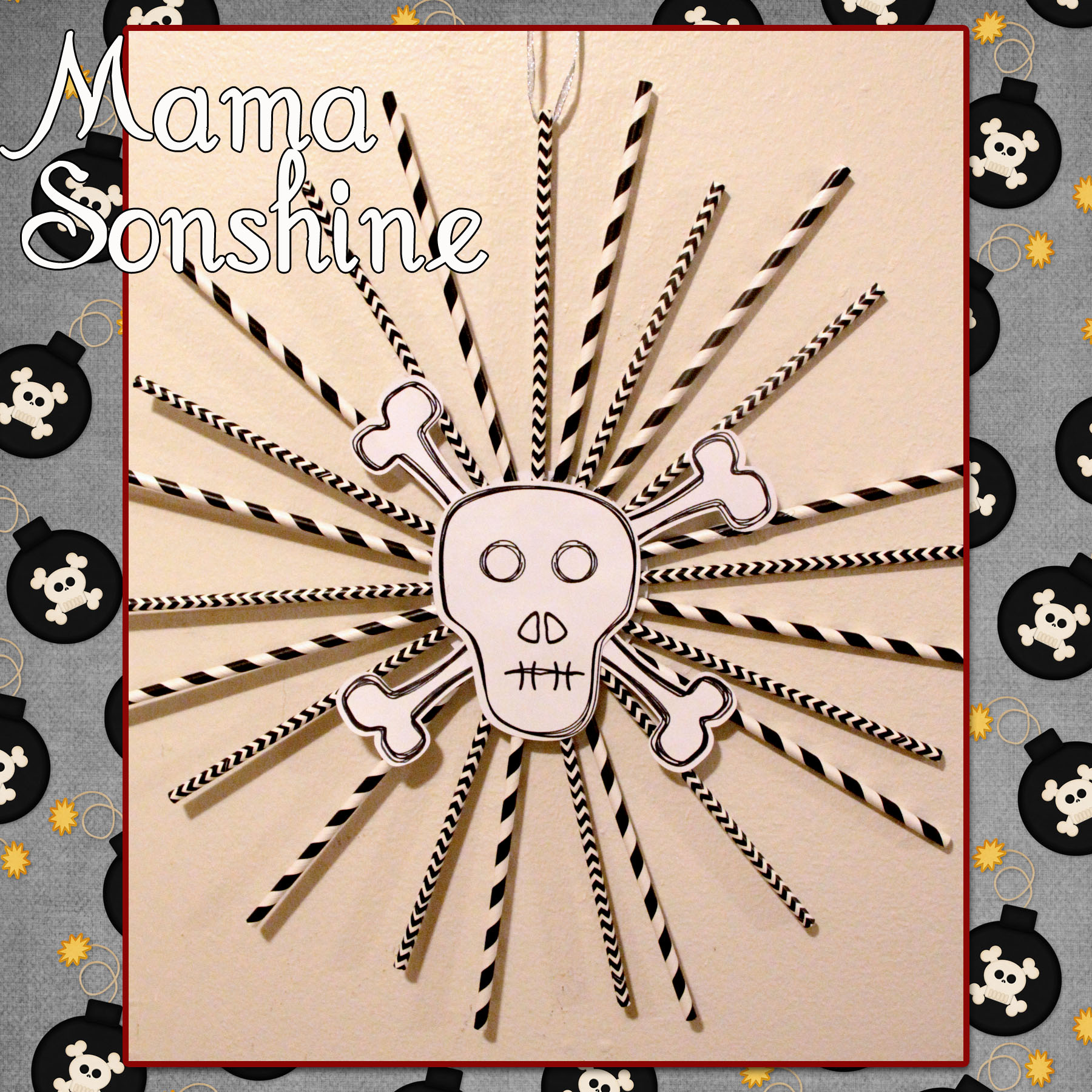
Using the same digital graphics I created a pirate flag topiary  table decoration.  I had to create my own cut file for the flag portion, cutting out the skull and crossbones.

MSS_MarchSilChallenge05_2014

I sandwiched a white piece of cardstock in between the two flag pieces, which I glued to a paper straw.  The base is made using the print and cut feature, it is an adapted cupcake wrapper shape.

MSS_MarchSilChallenge_2014 copy

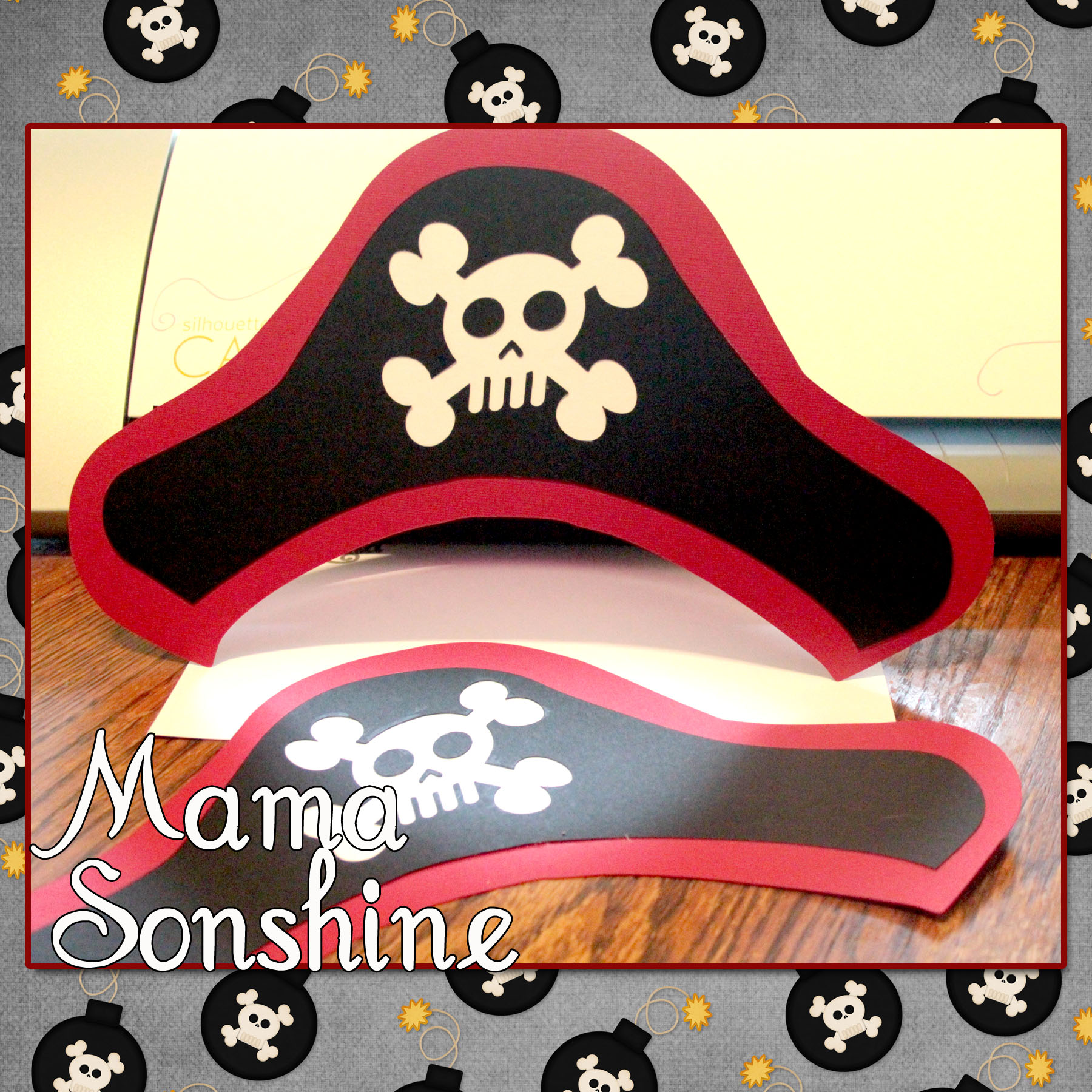
And what it just wouldn’t be a party with out party hats!

MSS_MarchSilChallenge10_2014

For the pin wheel I used the sketch feature that can only be found in the Silhouette Studio Designer Edition.

MSS_MarchSilChallenge02_2014

I ‘hand’ drew the skull and bones, and by hand I mean I used the draw polygon tool.  I used the sketch tool to make the skull look more hand-drawn.  I used a black Sharpie Marker to draw the lines with the Cameo and then made the cut around it.

MSS_MarchSilChallenge03_2014

This is only the tip of the iceberg when it comes to decorations that can be made using a personal cutting machine.  I would never have been able to cut out all the pieces to make forty invitations, if I had to do it by hand.

I have much more planned and will revel more after the party.

Happy Crafting

signature-black

facebook instagram pinterest parties by mamasonshine etsy bloglovin google+ email twitter Image Map

Want to Check Out More Silhouette Projects?

My Silhouette Challenge buddies and I are all sharing projects on our blogs today, so peruse the projects below for a wealth of Silhouette inspiration!

The Great Lamp Rescue Barnyard Animal Paper Garland & Party Details Sweet and Simple Easter Bunny Card Owl Theme Baby Shower Ombre Paint Chip Earrings & Free Cut File Spring is Blooming Drop It (Like It's Hot) Hexagon Tray Spruce Up Your RECIPE BOOK Gift Card Giving Free Cut Files Custom outlines for stamps Mickey Mouse Clubhouse Juice Boxes Wine Themed Bridal Shower Learn How To Make A Sewn Paper Garland! Moroccan Thank You Card 3D Flower Spring Wreath For the Love of Paper: Cutting Embellishments Create Your Own St. Patrick's Day Cupcake Wrappers and Toppers Swimming Word Art St. Patrick's Day Lime White Chocolate Chips Cupcakes + Freebie You're invited to a dog party! I'm so Lucky! Spring Wreath with SIlhouette Cut Flowers Tiny Princesses Paper Dolls Colorful Quote with your Silhouette Get Well Bouquet with Persimmon Roses Greeting Card Holder Baby Shower Invitations How-To Create a Custom Pillowbox on Your Silhouette Machine + Free Cut File! Quality Time Jar Matchbox Cover with {FREE CUT FILE} DIY Baby Girl Shower Invitation Candy Alphabet Travel Game Paper Garland Pretty Paper Roses DIY Geometric Heart Journal Hand Made Decorations for a Pirate Party Wedding Shower Gift Heart Map Decoupaged Letters (A scanner + A Silhouette = Spectacular results!) Easter Pop-up Box Card with Sweet Sorbet Designer Paper from Stampin' Up! Better World Greeting Cards Star Wars Silhouette Canvas Monogrammed Gifts Make Printable Gift Wrap with your Silhouette Software Free Printable: Blank Banner with free Silhouette Cut File

1. McCall Manor // 2. The Turquoise Home // 3. Creative Savings // 4. Sandpaper and Glue // 5. The Thinking Closet // 6. Sowdering About in Seattle // 7. Persia Lou // 8. From Wine to Whine // 9. Dream a Little Bigger // 10. Please Excuse My Craftermath… // 11. Play. Party. Pin. // 12. Everyday Paper // 13. Practically Functional // 14. A Tossed Salad Life // 15. My Favorite Finds // 16. The House on Hillbrook // 17. Adventures in All Things Food // 18. A Glimpse Into Barb’s Life // 19. TitiCrafty // 20. The Experimental Home // 21. feto soap blog // 22. Creative Ramblings // 23. The Stamp Doc // 24. Ginger Snap Crafts // 25. Simply Kelly Designs // 26. Whats Next Ma // 27. unOriginal Mom // 28. Bringing Creativity 2 Life // 29. Cutesy Crafts // 30. My Paper Craze // 31. Create & Babble // 32. Grey Luster Girl // 33. The Sensory Emporium // 34. Lil’ Mrs. Tori // 35. Black and White Obsession // 36. Mama Sonshine // 37. Weekend Craft // 38. Creative Carnival // 39. Peace, Love and Joyce // 40. Tried & True // 41. The Frill of Life // 42. Dragonfly & Lily Pads // 43. Get Silvered // 44. Minted Strawberry


Leave a comment

Birthday Pirate Shirt ~ A Silhouette Cameo how to (Part 3)

I wanted to share with you the steps I took to make my son’s birthday shirt. There was a few problems I had that I was able to work through.   Hopefully this will help so others won’t get stuck like I did.

In this tutorial I use my Silhouette Cameo and the Silhouette Studio DE software to make a custom shirt for my son’s birthday party.  I used graphics from Just So Scrappy‘s YoHo YoHo Pirate kit.  I used the Silhouette brand Flocked Heat Transfer Material for the skull, and Avery Dark T-Shirt Transfers for Ink Jet Printers.

Part One will be how to make the Skull & Crossbones

Part Two will be how to do the words & party hat

Part Three will be how to iron everything on and some tips.

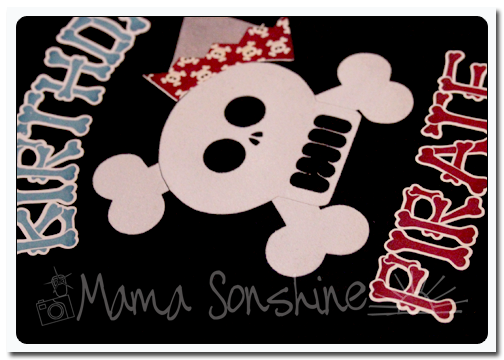
MSS_BirthdayShirt01

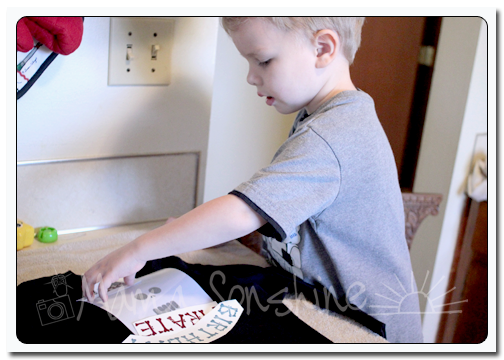
My first tip; if you want your words to be in the correct direction I would advise you not to let your three-year old place them on the shirt.

MSS_BirthdayShirt04

The flocked transfer material has a clear plastic film over the top.  This is the side you face down when cutting, you want the Silhouette to cut through the transfer material but not this film.  After weeding out the areas that you want the shirt to show through, lay your transfer material with the film facing up.  I would advise ironing on one piece at a time, just to ensure proper placement.

Use a dry iron, on the highest setting (please read the directions that come with your material) and a piece of thin cotton fabric between the iron and your material.  I used a pillowcase after determining a dish towel was too thick.  You want to apply a lot of pressure for up to a minute, or more.  Again, this is where you want to double-check the instructions that come with your material.  The time can very depending on manufactures, but the main thing is if isn’t sticking, you need more time and pressure.  Try not to move the iron around like you are ironing your clothes.  Just hold for a minute, then move to another area and hold, with lots of pressure.  Have I made it clear that pressure is important?

Some material is cool peel, meaning you need to wait until the ironed on design has cooled before removing the top film.  If this is the case, wait!  You will only ruin your design if you get impatient.

MSS_BirthdayShirt02


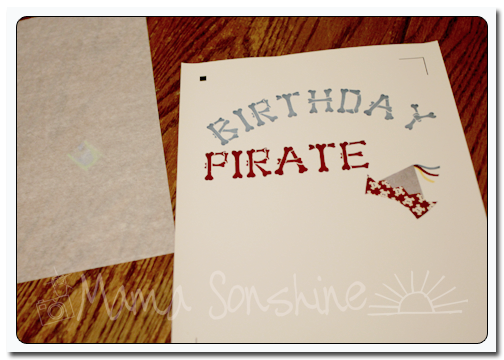
The intricate cut around the words was done as stated in the previous tutorial, but I wanted to separate the words from the page and lay them on the shirt without yet removing the backing, so I just cut them out with scissors.  The Silhouette settings I used made a ‘kiss cut’ meaning it cut through the transfer material but not through the backing.  When you are ready to iron on the material you peel it off like a sticker.

After placing the elements where you want them use the same iron settings but use the piece of parchment-like paper that comes with  the printable transfers between the material and your iron.  Again using lots of pressure.  Also, make sure something is covering the areas that have already been ironed on.  If you apply direct heat to this material you could melt it.

MSS_BirthdayShirt03


As I have stated above I used the printable material for dark fabric and ink jet printers.  The dark fabric is like a sticker.  What is face up is what will show, this is different from the material for light fabric.  The dark fabric material also leaves a white area on the printed material where there is a white area on your screen.  With the light fabric material, where there is white on your screen the shirt fabric will show through.  This is something to consider before purchasing your transfer material.  Also it is very important for you to  know what kind of printer you will be using.  The way an ink jet and laser printer adhere the ink to the paper is different and for this type of material it does make a difference.

The first time I printed this out I used a laser printer without thinking of the consequences.

MSS_BirthdayShirt05

It looks fine, there wasn’t any difference between it and the one I ended up printing on my ink jet printer.  At least not until I ironed it on.

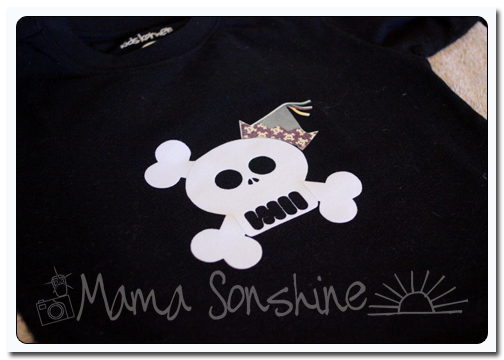
MSS_BirthdayShirt06

See how the hat has faded?  This is because of the toner in a laser printer.  It can come off the printable heat transfer material when heat is applied.  I had to go back and reprint everything on an ink jet printer.  At this point I also had to make the hat a little bigger to cover up  the faded one.

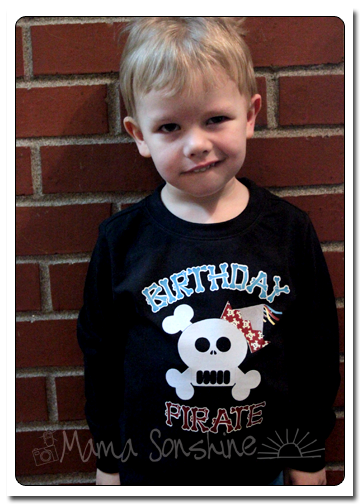
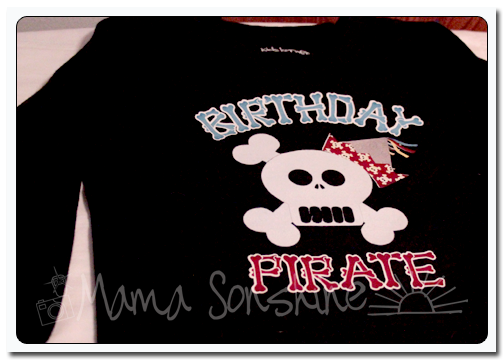
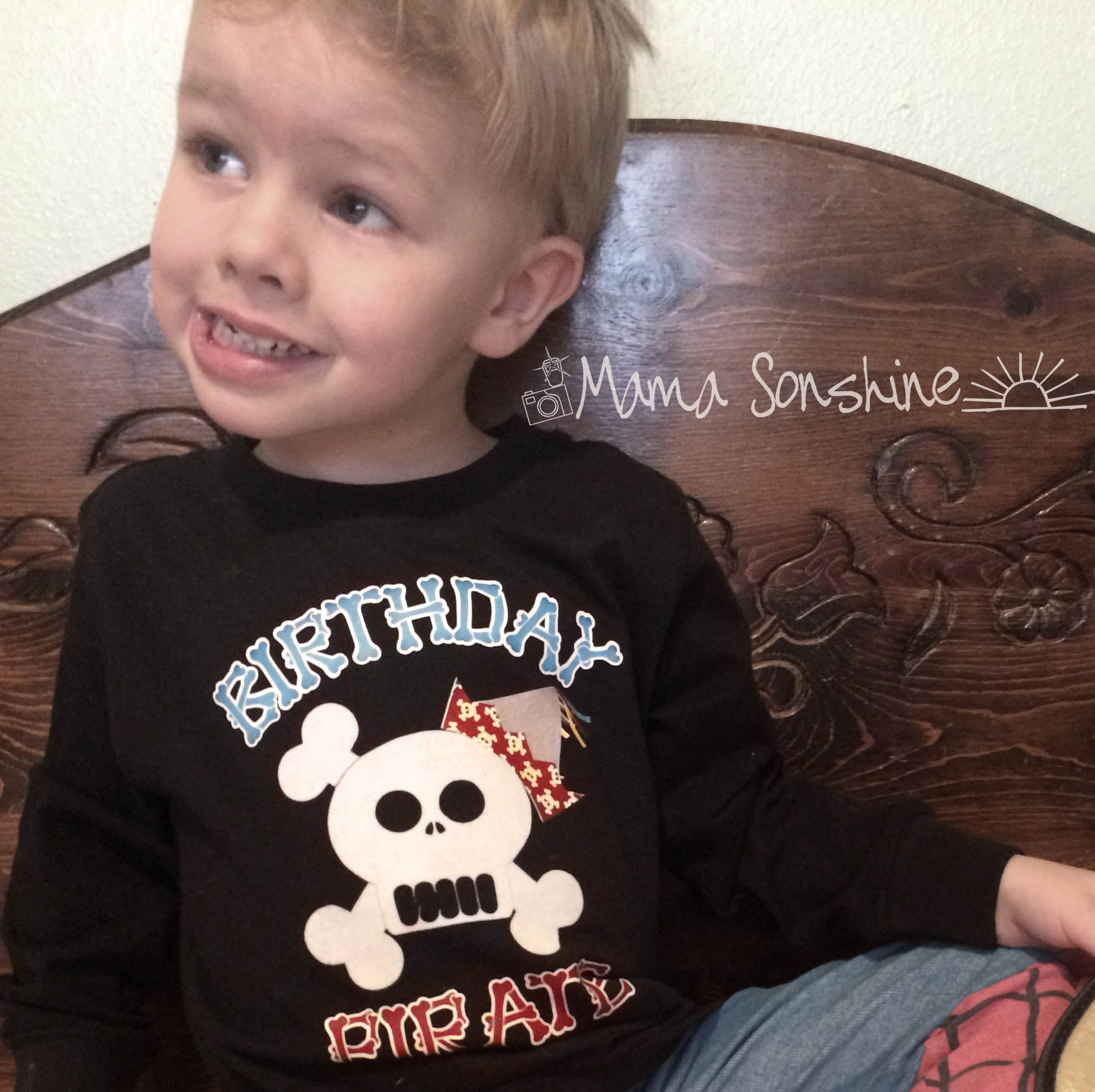
But the end result was still one happy birthday-boy-to-be.


MSS_BirthdayPirateShirt

If you want to see how I designed the skull check out Part one.

If you want to see how I designed the print and cut words and hat see Part Two.


Happy Crafting

signature-black

facebook instagram pinterest parties by mamasonshine etsy bloglovin google+ email twitter Image Map


Enhanced by Zemanta