I Tri and Craft

thoughts from a mother of boys, a marathoner, a triathlete, a crafter, a wife, and a scientist


7 Comments

DIY Christmas Coasters ~ and a GIVEAWAY!!!!

‘Tis the season for giving, and there is nothing better than giving someone a hand-made gift.

Except being able to giveaway a new Silhouette Portrait or Cameo, that is.
decembergiveaway250

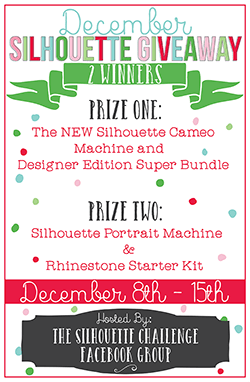
That’s right, a wonderful group of bloggers and I have gotten together to giveaway not one, but two Silhouettes.  These ladies have also came up with a variety of holiday projects to make with your brand new Silhouette.  Just follow the links at the end of this post for some inspiration.

DIY Christmas Coasters

I thought I would share some of the gifts I have been making for Christmas this year.
MSS_DIYCoasters


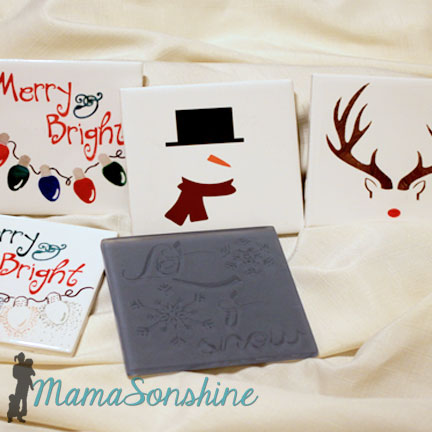
I made some Christmas coasters from tiles using a couple different methods, including etching cream, vinyl and sharpies.
MSS_DIY Christmas Coasters

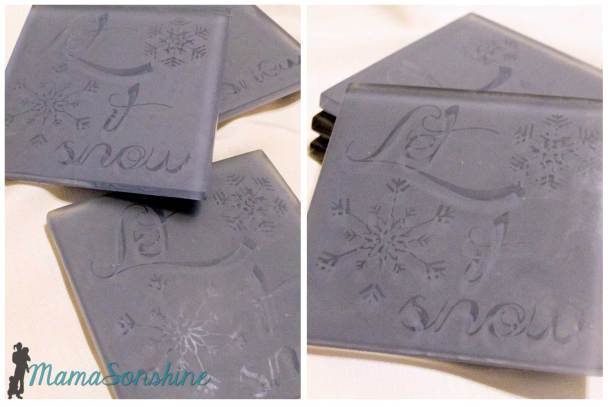
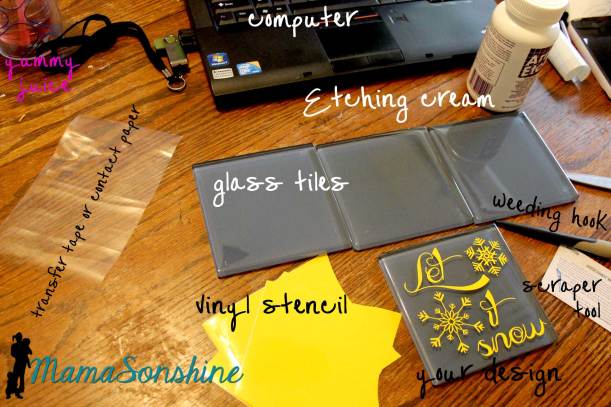
I love making etched glass items and thought how great it would work on glass tiles.  I found these blue glass tiles, they are clear glass with a backing that is colored, and knew they would be perfect for a snow themed coaster.
MSS_glass tiles with stencil

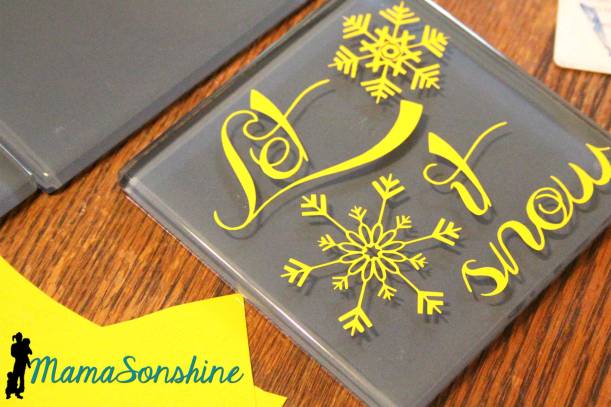
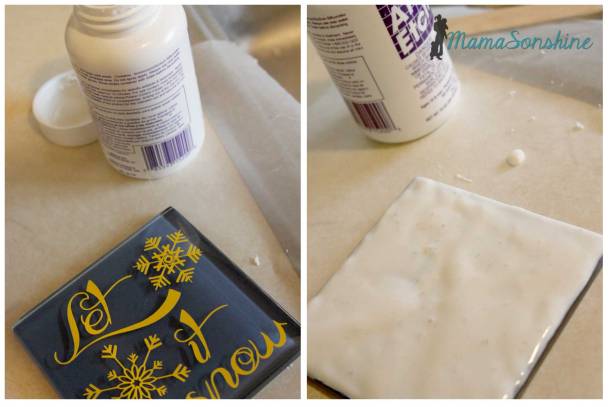
Since the tile would be a coaster I wanted the majority of the surface to be rough with the design smooth.  I cut my design out of scrap vinyl, I have been told contact paper works too, and transferred the design on to the tile.
MSS_glass etching in action

I like to apply my etching cream right next to the sink.  I lay down wax paper for a work surface, and use gloves to protect my skin.  At the end of the etching time I try to scrape the etching cream back into the bottle.  No need to waste!  Rinse the rest of the cream off the tile under cold running water.  Peel off the stencil and wash again with soap and water.

Please follow the directions on your etching cream and be safe.
MSS_Etched Glass Tile Coasters


MSS_Etched Glass Tile Coasters

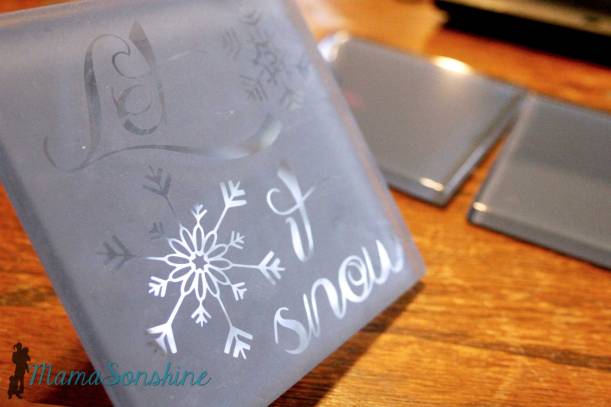
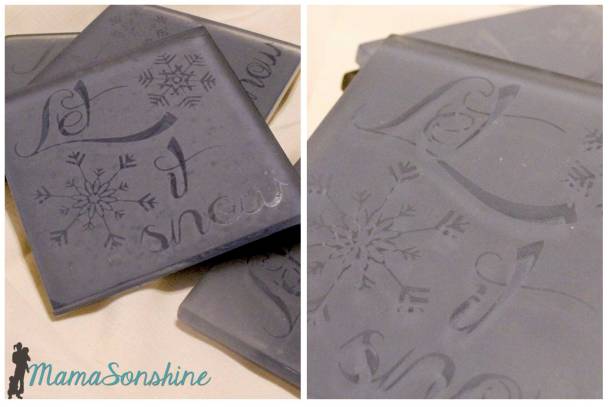
Because the tile is thick glass the unetched parts refract the light and distort the design when trying to take a picture.
MSS_Etched Glass Tile Coasters

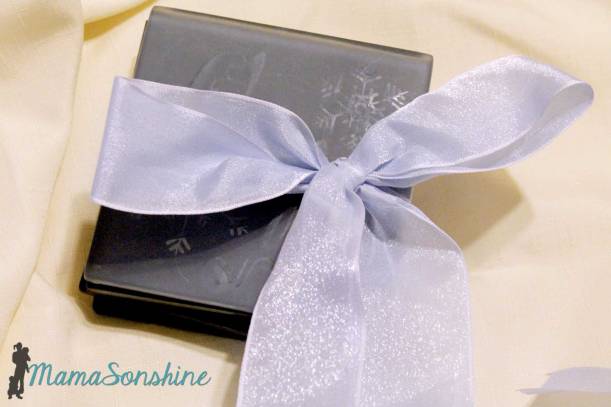
I absolutely love how these turned out, but the elegance of them is lost in translation.  They do look lovely all wrapped up in a bow.
MSS_Etched Glass Tile Coasters Gifts


Did you know that etching cream will also take the glaze off ceramic tiles?

This is even harder to photograph because of how subtle it is.
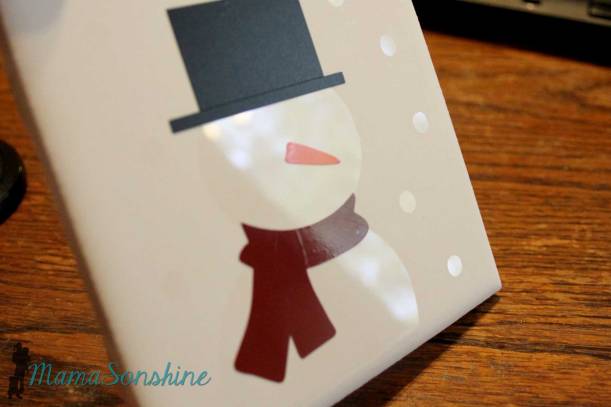
MSS_Etched Tile Coasters

My first thought was to make a minimalist snowman design with vinyl, but then I decided to take it one step further.  I used a vinyl stencil for the snowman base and a few circles of falling snow.  I then applied the etching cream to the entire coaster as above.  This left a rough background with a shiny snowman and snow.
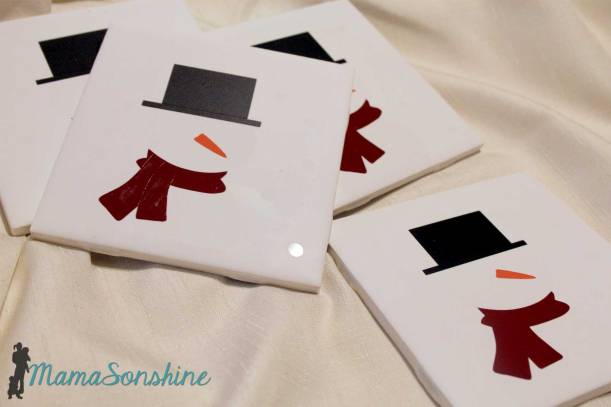
MSS_Etched Tile Coasters

After etching, washing and allowing to dry for at least a day, I applied the vinyl decorations, using outdoor vinyl if I had it.  I love how these turned out, they are impressive with just the vinyl but when you look close you can see the subtle outline of the snowman and snow.
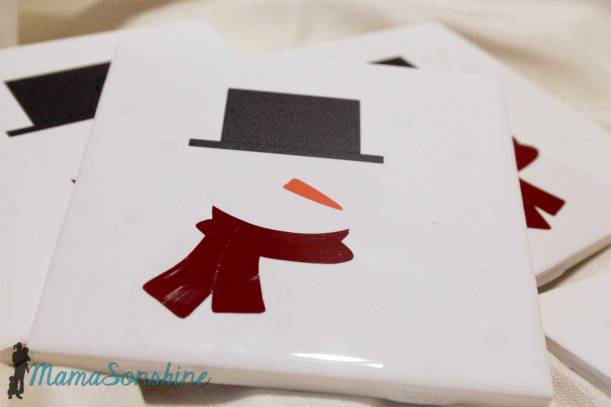
MSS_Etched Tile Coasters


But why stop there?  Sharpies on ceramics are always a fun craft.

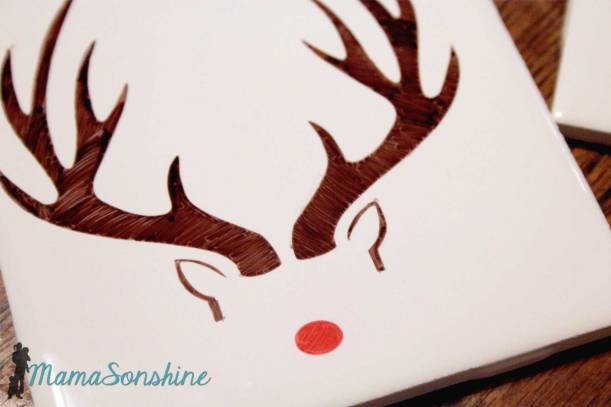
Since I am pretty sure my 4-year-old draws better than me, I use my Silhouette to cut out stencils for all my Sharpie work as well.  As I did with these Rudolph coasters and they are fantastic!
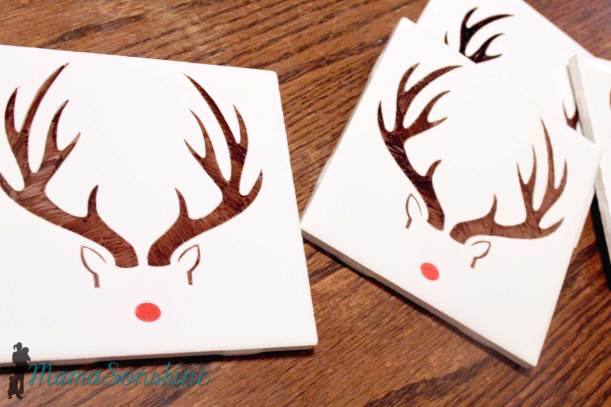
MSS_Sharipe Colored Tile Coasters

After coloring I cured the ink by placing the coasters in a cold over, turning on the heat to 350°F, baking for about 30 minutes, turning the oven off and letting the coasters come back to room temperature slowly.
MSS_Sharipe Colored Tile Coasters


Using the same sharpie and stencil method I made some Christmas light coasters as well.
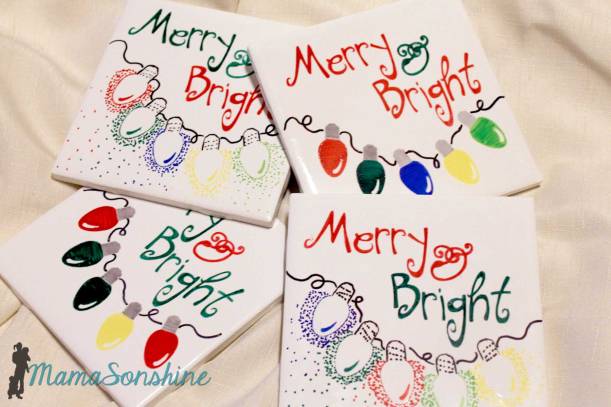
MSS_Sharipe Colored Tile Coasters

On one set of coasters I simply colored the lights in.  On the other set I used the negative of the stencil and used scattered dots to draw the lights.  I should tell you that I did not use oil based markers or ceramic pens.  I cured them just as I did with the Rudolph ones.
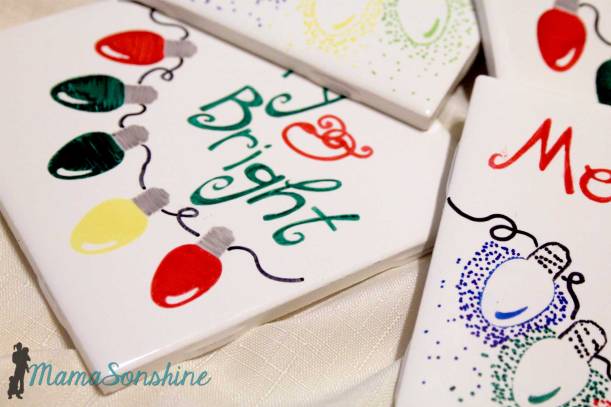
MSS_Sharipe Colored Tile Coasters

Some of the colors (uh, all but the red and green) did not hold up as well with the curing process.  *sigh, lesson learned.  So, if you are going to cure them in the oven, use ceramic markers.  Another option would be to seal them after coloring with a clear waterproof sealant.  Sealing them is still probably a good idea anyway.
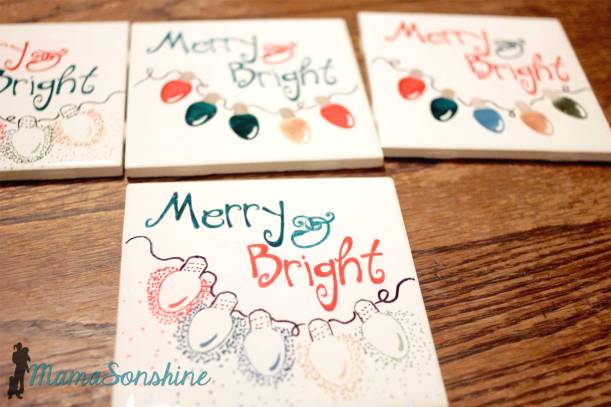
MSS_Sharipe Colored Tile Coasters

Not to worry though.  They can just be recolored and then sealed.  (which admittedly I have not yet done, but plan on doing)

These coaster would make great gift to with a new mug and box of hot chocolate, coffee or tea.  *spoiler alert

MSS_DIYCoasters

Silhouette Giveaway!

I know, I know, here is the part of the post you are most excited about.  As I said above, my Silhouette Challenge buddies in partnership with Silhouette America are hosting a mega-huge giveaway for not one…but two winners!  The prizes up for grabs?

First prize: The NEW Silhouette Cameo Machine and Designer Edition Super Bundle!  $406.93 value.

  • Silhouette CAMEO®
  • Designer Edition Software
  • Dust Cover
  • $25 Download Card
  • Four Essential Silhouette Tools (hook, spatula, scraper, pick-me-up™)

Second prize: Silhouette Portrait Machine and Rhinestone Starter Kit!  $219.98 value.

Pretty sweet, huh?  We want you to have the chance to get that Silhouette machine that might still be on your wish list.

To enter: just click on the image below or on this link, either will take you to the entry form.  Because of my many blog friends who helped make this giveaway possible, you have 42 potential entries, which means a lot of winning power.  So, hurry up and enter!

{This giveaway runs from today through Monday, December 15th at 11:59p eastern and is open to anyone 18 years of age or older with a U.S. or Canada mailing address. You can read the rest of the terms and conditions in the giveaway window. You only need to enter the giveaway on one blog.}

A Rafflecopter Giveaway
decembergiveaway250

click on me to go to entry form


Want to Check Out More Silhouette Projects?

My Silhouette Challenge buddies and I are all sharing projects on our blogs today, so pursue the projects below for a wealth of Silhouette inspiration!

Reinvented Elf on a Shelf Book Cat-Shaped Ornament Stamped Christmas Towels M&M Milk Bottle Teacher Gift 3D Holly Berry Ornament Deer Silhouette Mirror Silhouette Christmas Craft with Double-Sided Adhesive Winter Village Display Wood Grain Nativity DIY Rustic Pallet Christmas Tree 2014 Christmas Card + Giveaway Gift Tags Chalkboard Vinyl Christmas Signs Personalized Christmas Ornament DIY Wood Slice Christmas Ornaments DIY Nativity Candle Jar Sleeve Chalkboard Charger Inspiration + Giveaway Christmas Countodwn Festive Advent Christmas Decor AND A Giveaway! All Hearts Go Home Luminarias Deer Silhouette Vinyl Wood Slice Ornaments Some People are Worth Melting For Olaf (Frozen Inspired) Ornament Personalized Pajamas with HTV 3D Reindeer Shield Decoration Trendy Christmas Cards with Silhouette + Free Cut Files Let It Snow Mitten Banner DIY Christmas Coasters Elf on the Shelf Wardrobe Simple Ornaments Stenciled Santa Sack Put on your Yamika! Reindeer Photo Ornament Christmas Card DIY Nativity Shadowboxes Monogrammed Drop Cloth Christmas Tree Skirt Canvas Wall Art for the Holidays

1. Pineapples and Pinecones // 2. Simply Kelly Designs // 3. Architecture of a Mom // 4. Just a Girl and Her Blog // 5. Two Purple Couches // 6. Chicken Scratch NY // 7. Creative Ramblings // 8. One Dog Woof // 9. Ginger Snap Crafts // 10. The Thinking Closet // 11. Please Excuse My Craftermath… // 12. Designer Trapped in a Lawyer’s Body // 13. weekend craft // 14. Dragonfly & Lily Pads // 15. Practically Functional // 16. Living My Given Life // 17. My Paper Craze // 18. The Kim Six Fix // 19. Home At Eight // 20. Queen of Everything // 21. Tried & True // 22. McCall Manor // 23. unOriginal Mom // 24. Create it. Go! // 25. From Wine to Whine // 26. GetSilvered // 27. It’s Always Ruetten // 28. Nearly Handmade // 29. Mama Sonshine // 30. Silhouette School // 31. It Happens in a Blink // 32. Create & Babble // 33. Sowdering About // 34. Where The Smiles Have Been // 35. My Favorite Finds // 36. Lil’ Mrs. Tori // 37. Designed Decor
Dawn Marie

facebook instagram pinterest parties by mamasonshine etsy bloglovin google+ email twitter Image Map


Leave a comment

Etched Glass Hydrangea Vase

We are now at the point in our lives where we aren’t attending weddings every weekend of the summer.

It seems that you have two waves of wedding times.  For the first few years out of high school it seems like your summer weekends are only weddings.  Then there is a time when you don’t really attend any weddings, maybe one or two.  Then about your early 30’s you start getting all the invitations to the rest of your friends weddings.  After that, you may get one or two a year, and usually they are family members kids or for the wedding of someone younger than yourselves.

This year we only have two weddings.  One of which we are traveling across the country for and one that happened in the summer.

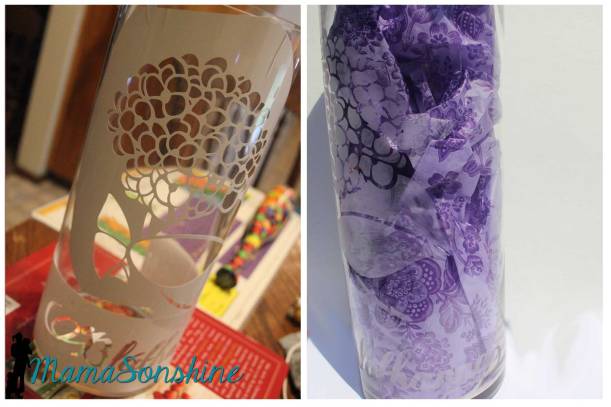
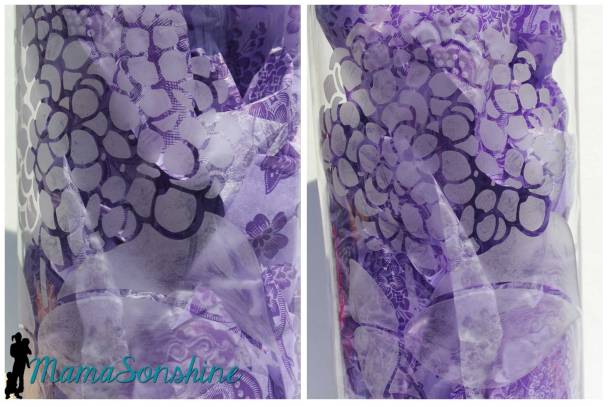
The one we attended this summer was a wedding of one of my husbands friends.  He is an artist, a very wonderful painter, and for his invitations he drew and painted a hydrangea bouquet.  I thought the perfect gift would be a large glass vase with the same picture etched on it.

Turns out, his style of painting and my starting on the project late, made for the inability to trace the image and create a stencil.

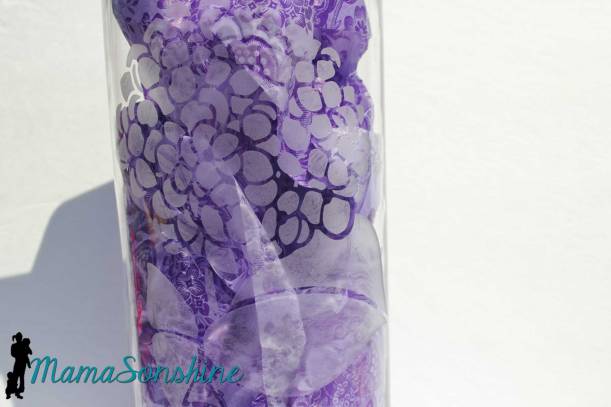
So I did the next best thing.  Found another picture of a hydrangea that I could trace, and made a stencil out of it.

MSS_Hydrangea Etched Glass Vase


MSS_Hydrangea Etched Glass Vase


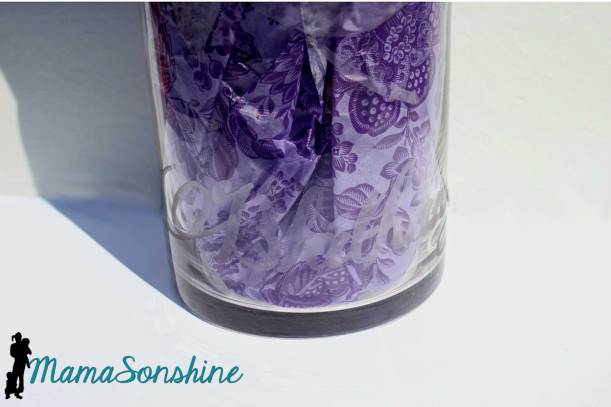
I like the glass vases that have the word “flower” etched on it in some foreign language, usually in French.  The groom is Irish and so I decided to use the Gaelic word for flowers which is bláthanna.  Singular for flower would be bláth.

So I found a fancy font with swirls but it was a little thin, so I had to create an offset to make it a little easier to cut.

MSS_Hydrangea Etched Glass Vase

MSS_Hydrangea Etched Glass Vase


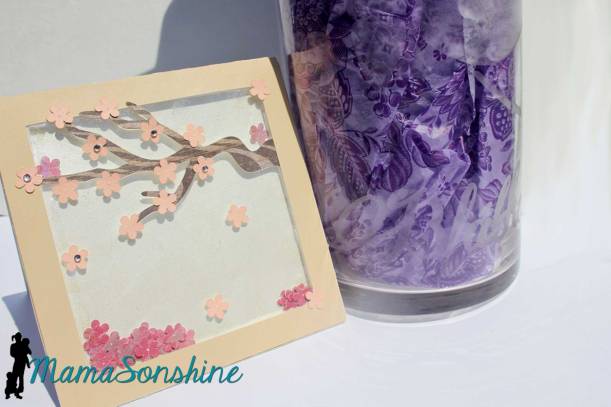
To keep with the floral, nature theme I made a card with a Cherry Blossom tree.  I found this card base at Bird’s Cards, it’s a free download.  I decided to make it a shaker card adding more cherry blossom flower and glitter.

MSS_Hydrangea Etched Glass Vase


Big glass vases that are already decorated can come at a larger price tag.  By decorating it myself, not only could I make it more personal without breaking the bank, and on short notice.


Dawn Marie

facebook instagram pinterest parties by mamasonshine etsy bloglovin google+ email twitter Image Map


2 Comments

Running Motivation in a Temporary Tattoo

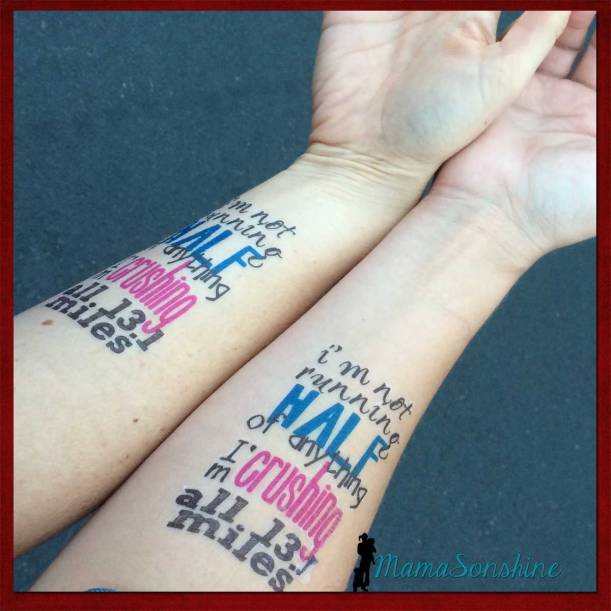
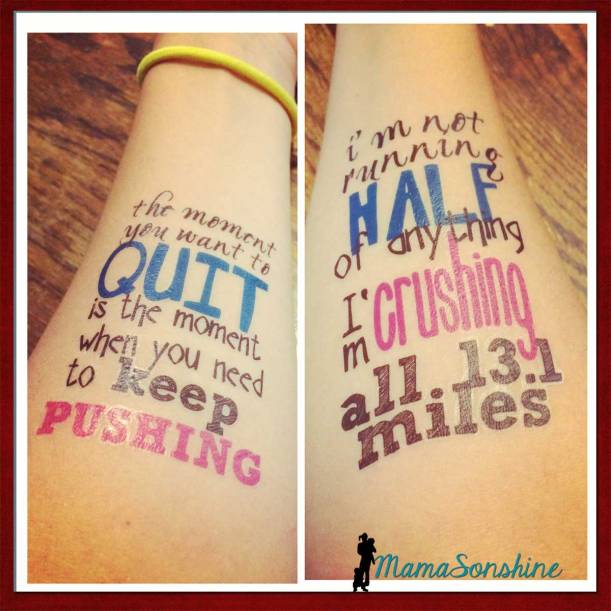
If you read my race recap about the half-marathon I ran this summer you saw that I made some motivational tattoos for my cousin and me to wear.

Running Tattoos_MamaSonshine

It was the first time I used the Silhouette brand Temporary Tattoo paper, but I knew that I would be using it again the following month for Sid’s birthday party.  I ran into a few issues as a first time user and thought I would share them, in hopes that other’s don’t have the same troubles.

First I made my design.  One of my favorite motivational quotes for running is “I’m not running half of anything. I’m crushing all 13.1 miles.”  There are a few variations, but I like this wording the best.  I made one for my cousin and one for me.  I had room for one more quote, and since I had two arms I also used “The moment you want to quite, is the moment when you need to keep pushing.”

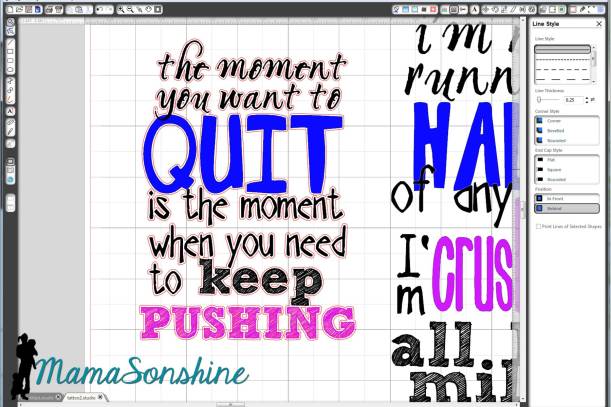
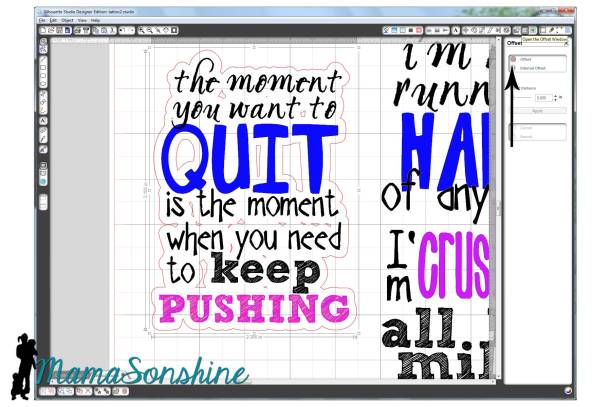
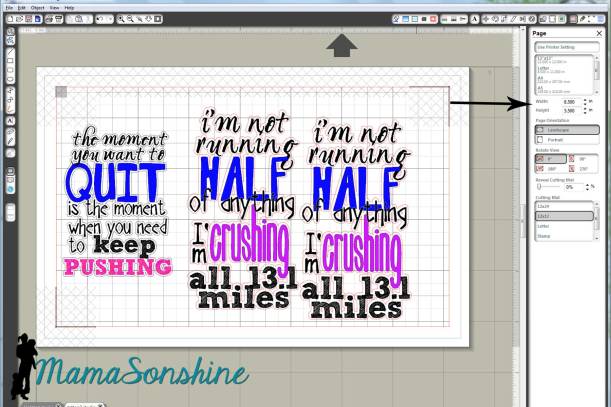
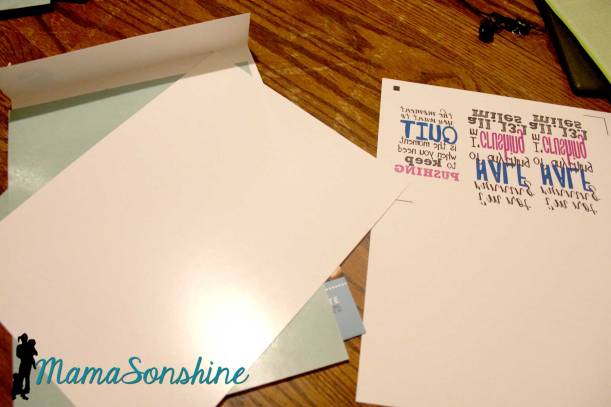
I sized out the space on my arm and made a box in Silhouette Studio.  I then typed out my sayings and changed the fonts, sizes and colors for specific words.  I then used the offset tool to create my cut lines around the words.  Remember, anything that is white in your design will be clear on the tattoo, and your skin will show through.

My first instinct was to make a close-in offset, as I would when cutting other media.

MSS_Tattoo close offset

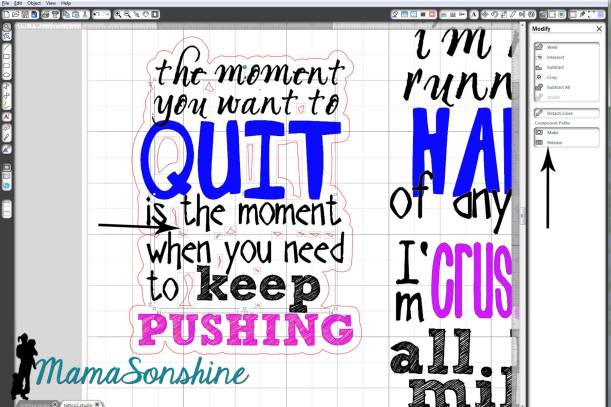
Here is the problem: when you cut it, it cuts through the paper backing.  So now you have all the words in different pieces that you would have to place on your arm individually.  So again, remember that the tattoo paper is clear, and make your offset big enough that all the words cut as one piece.

MSS_Tattoo large offset

And there is no reason you need to waste time cutting out the middle of your o’s or other inner parts since the paper is clear.  Release the compound path,

MSS_Tattoo

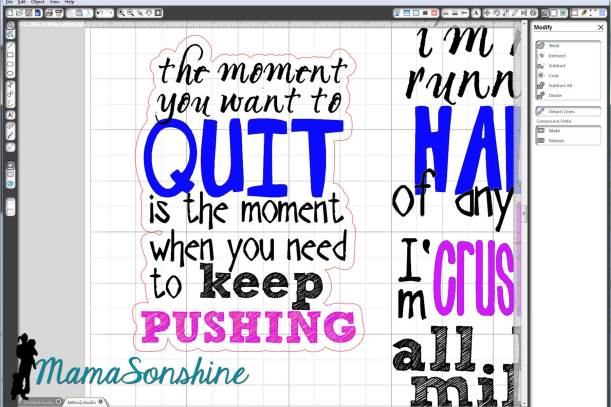
select all the unwanted parts, then delete them.

Now you are left with a nice group of text that will stay together once cut.

MSS_Tattoo Running motivation

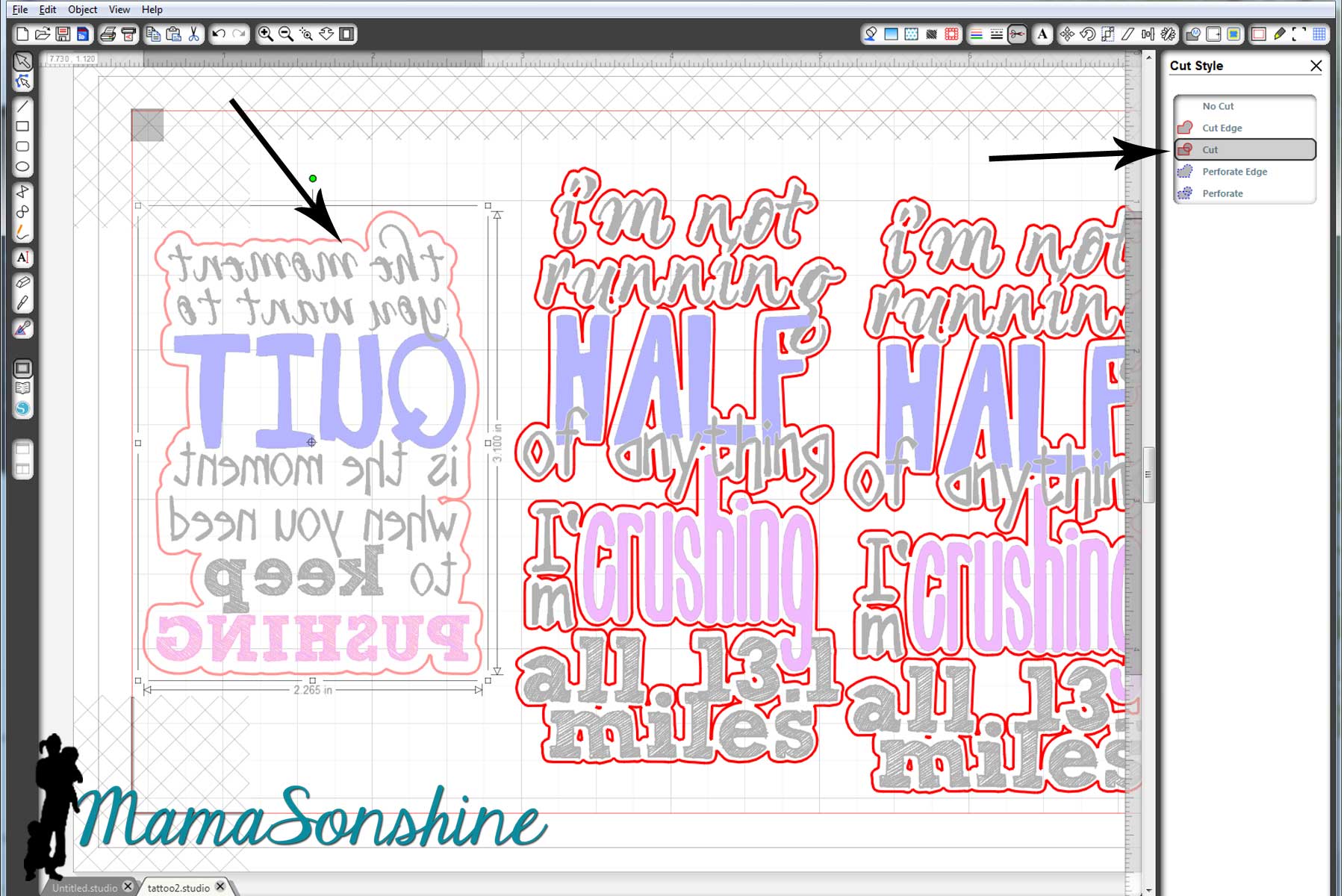
Check out your cut lines, make sure you are not cutting out the words you are printing, but just the offset you just made.

MSS_Tattoo cut lines and mirror

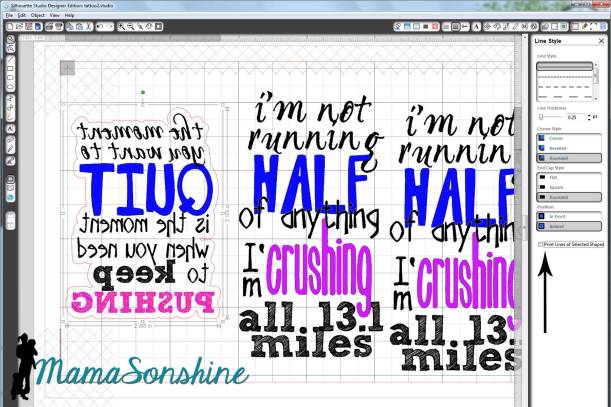
Once you have your design and cut lines all set, flip your image horizontally.  This is very important when doing something with words, or your words will be backwards.

The key to the temporary tattoos is Silhouette‘s print and cut feature using the software’s registration marks.  I don’t know about you, but when I print and cut, I change the paper to ‘letter’ (because that is the size of the paper I print on) and adjust my registration mark settings to the smallest available.  One day when I was printing something small I realized I don’t have to waste the whole piece of paper.  I say ‘waste’ because once I printed the registration marks, I couldn’t reprint (for cutting) on that same piece of paper.

So I changed the size of the paper, I know it seems like a simple statement.  But I made the paper size just larger than my image size, with the registration marks, and that left the rest of the paper blank, for use again!  So simple, yet so helpful.

MSS_Tattoo change paper size

The tattoo paper is a bit pricey, about five bucks a sheet; the pack comes with two sheets and is priced at $9.99.  You can find it on sale at Amazon, and sometimes through Silhouette.  I didn’t want to waste any of the paper, and I wasn’t ready to print out the favors for Sid’s party, so I just adjusted the size of the paper to fit my quotes.  That way I still had half a sheet of unprinted paper I could use again.

Printing.

First you want to make sure when you print, that you print the lines of the words, but do not print the lines of the offset.  (Note: this feature is different if you are using V3)

MSS_Tattoo print lines

Here is where I had the main problem that I really didn’t want to admit to anyone.  It’s a little embarrassing.

I opened the pack of tattoo paper and pulled out the first sheet on top.  The instructions say to print on shiny side then peel of green backing to apply adhesive material.  So I printed on the shiny side.

MSS_Tattoo Printing


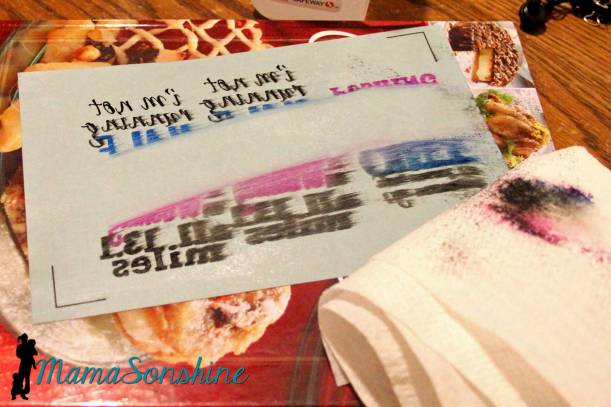
My ink wouldn’t dry.  I left it while I went to work, when I got home it still wasn’t dry.  I wiped it off, tried different print settings, still wouldn’t dry.

MSS_Tattoo14

I googled instructions looking for a video tutorial.  Finally when watching my second video I wondered why their paper was white when my paper was clear with a green paper backing….

Maybe I have to use my own paper, but that seemed silly because the instructions talk about printing on the shiny side…

I went back to the package and looked inside it.  Behind the two pieces of clear paper with green backing was two pieces of white paper with a shiny side.

*hand hits forehead*

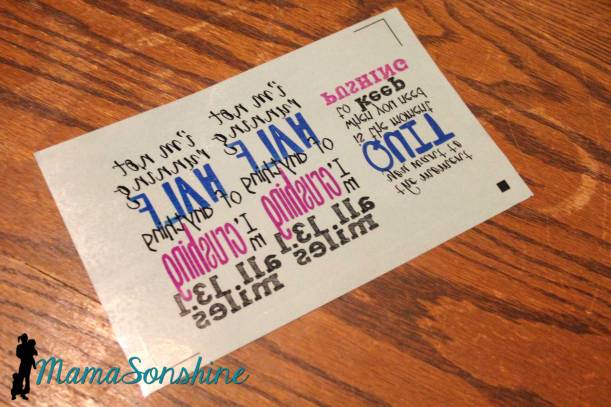
Start over.  Printed on the shiny side of the white paper, and ink came out dry and sharp.  MSS_Tattoo Paper Pack

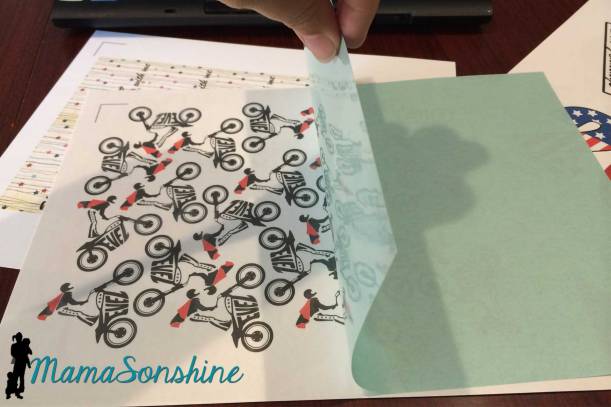
Followed directions by adding the adhesive layer.  That is the clear paper with the green backing that I was trying to print on first.

MSS_Tattoo adhesive layer

This is actually a picture of the tattoos I made for my son, but this is how you apply the adhesive layer

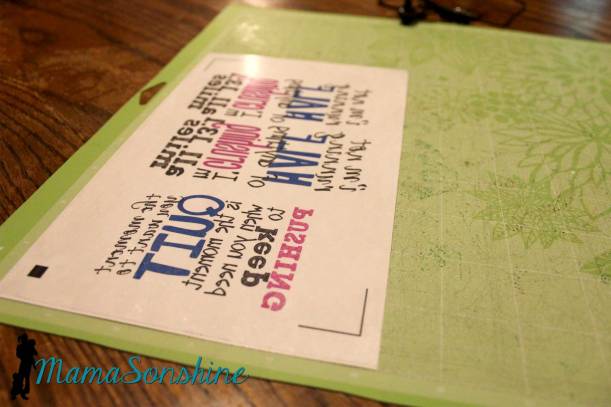
Because I wasn’t using the whole sheet of paper, I used a paper-cutter to trim down both the white sheet and the clear adhesive sheet before joining them.  Then used my Silhouette to cut out the tattoos.

MSS_Tattoo ready to cut

They look great and just the motivation we needed.

MamaSonshine_Tattoo


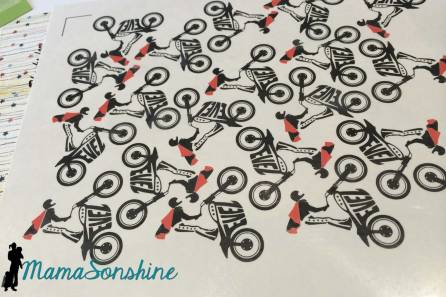
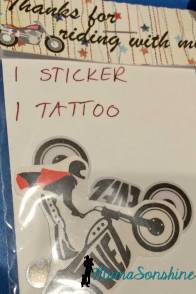
Now that I am a pro at the temporary tattoos, I made some as favors for Sid’s party.  However, I neglected to flip the image horizontally, so the words were backwards.  There is always something with me, right?  I decided to let it ride (yep, pun intended) as the guest were toddlers who really couldn’t read anyway.

MSS_Tattoos  MSS_Tattoo party favors


I am already planning my tattoos for my Halloween costume!


Dawn Marie


facebook instagram pinterest parties by mamasonshine etsy bloglovin google+ email twitter Image Map


4 Comments

Birthday Card Challenge


I decided to participate in another challenge with SVG Cutting Files.  This challenge is for birthday cards, the main focus should be something purchased from SVG Cutting Files.

I found it a little more difficult to make a card without someone specific in mind.  I knew I wanted to make a Halloween birthday card at least, but in order to get the free files associated with the challenge I had to make two cards.

MSS_Halloween01

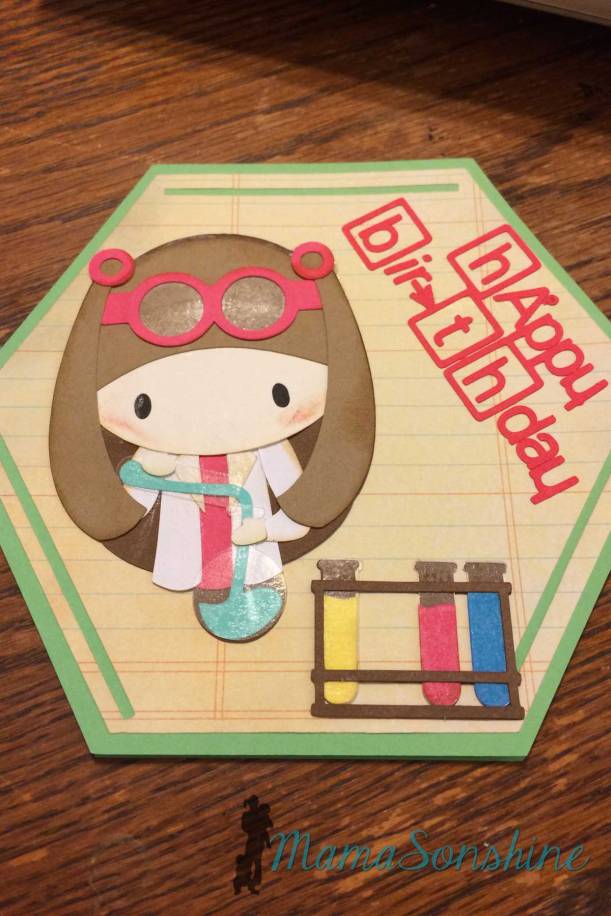
Since I am a scientist I thought I need to make a birthday card using the Science Rocks kit I had.

MSS_Chemistry04

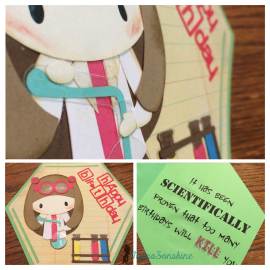
I made the card base to look like a benzene ring and used the science girl and test tube rack.

MSS_Chemistry01

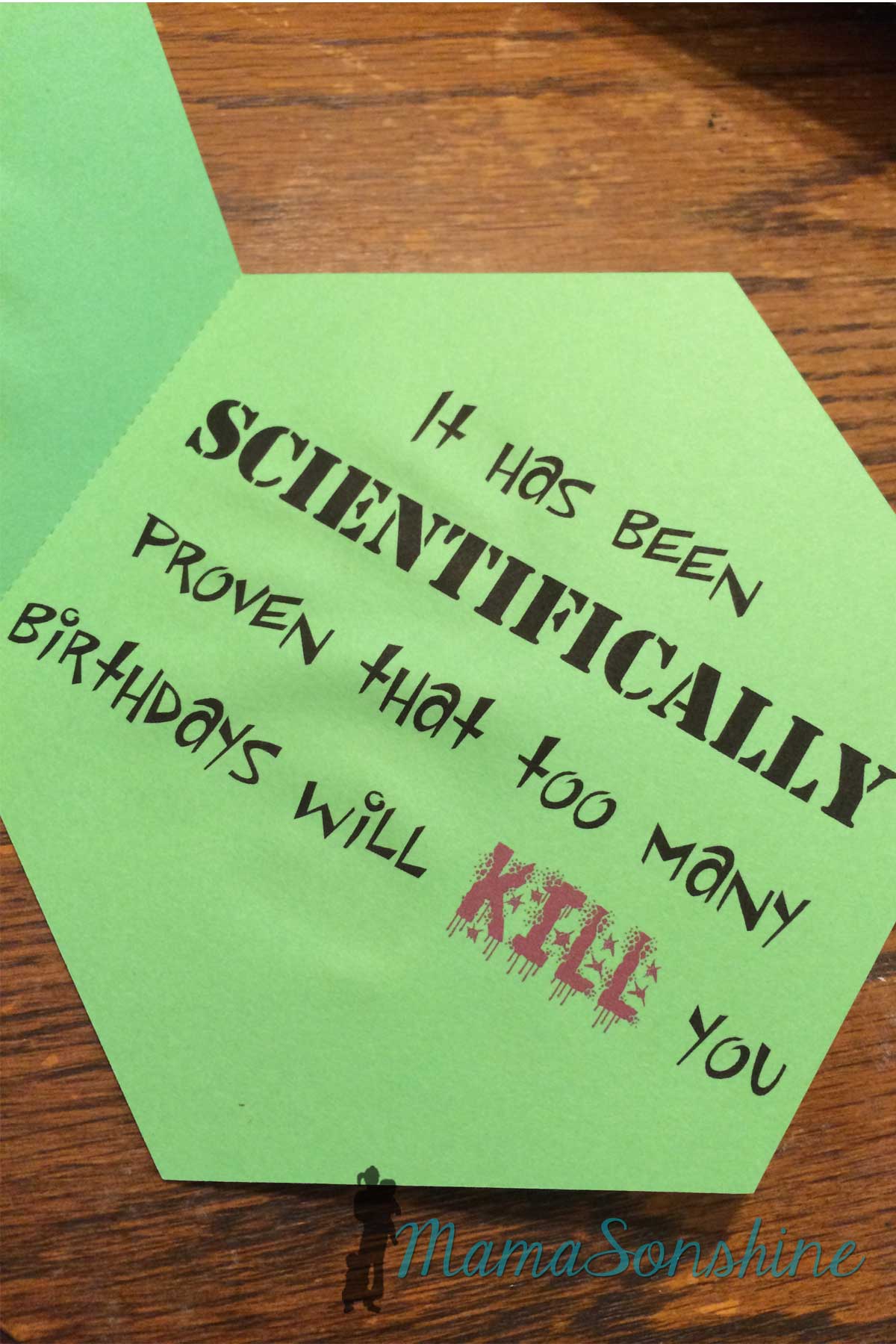
Inside it says “it has been scientifically proven that too many birthdays will kill you.”

MSS_Chemistry02


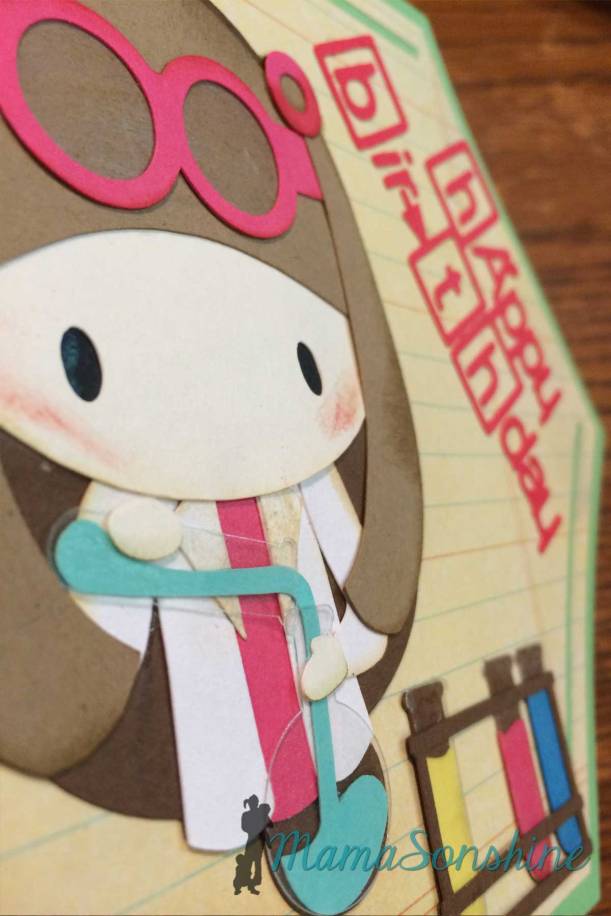
I love using clear sticker paper for glass elements, like the test tubes and her goggle lenses.

MSS_Chemistry03

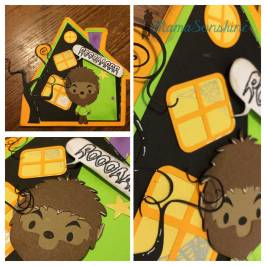
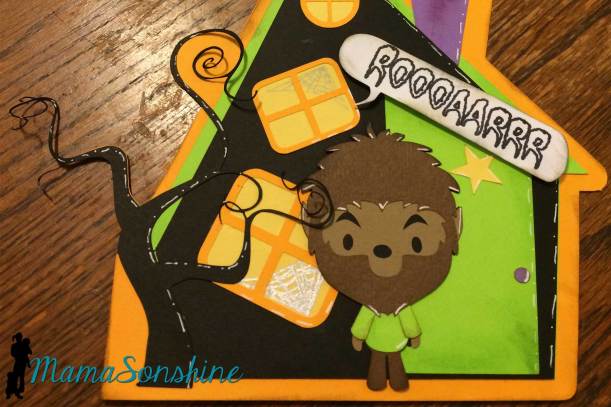
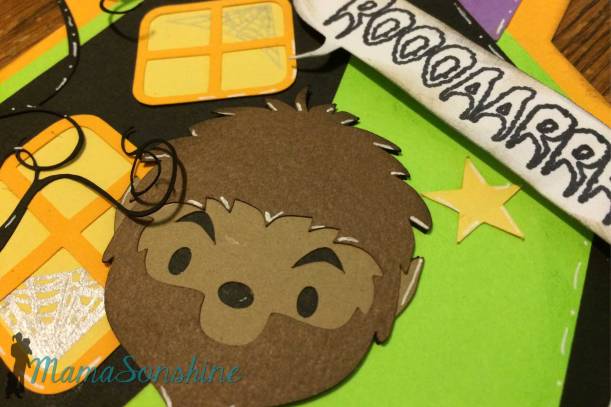
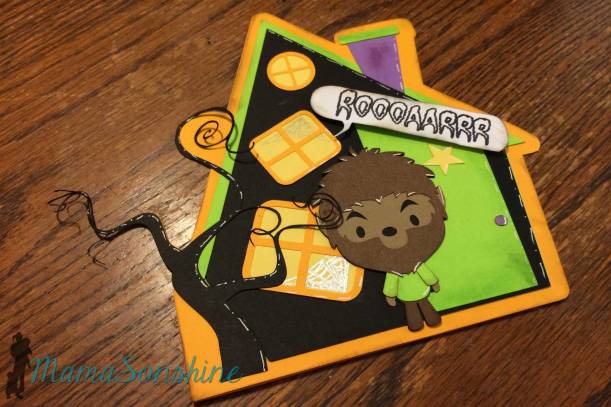
For the Halloween birthday card I used the Chibi Werewolf file.  I had actually purchased the set for the mummy, but the werewolf was perfect for this idea.  Inside it says ‘Have a howling good birthday!’

MSS_Halloween02


MSS_Halloween05


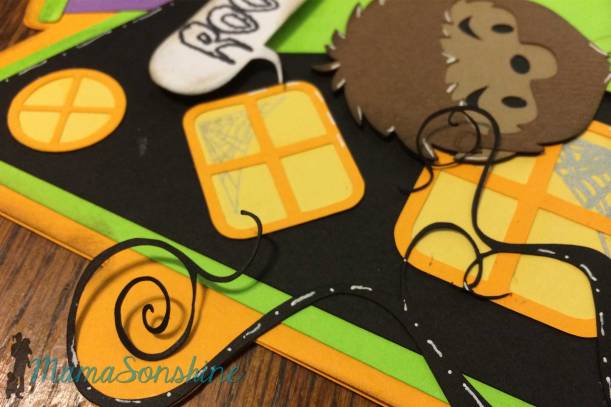
I designed the card base to be like a haunted house.  I used sketch pens to draw the spider webs in the windows.  Parts of the tree are not glued down so the stick out for some dimension.

MSS_Halloween04

I also used dimensional foam tabs to pop out the ‘roar’ word balloon.

MSS_Halloween03

I, of course, used my Silhouette Cameo to cut out all the elements for the card.

Don’t forget to go to the challenge page and see all the other amazing projects.


Dawn Marie


facebook instagram pinterest parties by mamasonshine etsy bloglovin google+ email twitter Image Map
This card is available at my Etsy Shop.