We spent the weekend out-of-town visiting some friends. When we were leaving Ian told me he was angry because he didn’t want to go home yet.
Our friend made Ian a fire in the fire pit so Ian could roast his hot dog Saturday night. It was a toasty 27° out.
Sunday was spend unpacking and recuperating so I needed to make this post quickly! I did go to my Pinterest page to try to find some new things to cook.
I will leave you with a picture of Sid and the reason I usually feed him yogurt instead of letting him do it himself.
I don’t typically set them, because I always feel guilty when I don’t stick to them. But this year is the year I want to become financially organized.
Motherhood can leave you brain-dead. I can’t remember anything anymore, but I know where my sons shoes are.
I can’t remember if I just put shampoo in my hair or washed my face in the shower, but if my kid asks me where his little tiny sword that goes to his Snake Eye toy is, you bet I know.
One thing I am always forgetting is to pay bills. Probably not the best thing to do. Plus I don’t have a good schedule for paying them.
My husband and I both get paid every other week, but on alternate schedules. So we basically get a paycheck every week. Right now I have it set up so that his last paycheck of the month goes to rent for the following month, my paychecks pay the sitter, and his other paycheck goes to bills.
This is a horrible system. It leaves me stressed, and sometimes not paying the cable bill because I don’t want something to happen that might make us need emergency money. There’s no wiggle room, no budget and I am not happy about it.
So here is my plan:
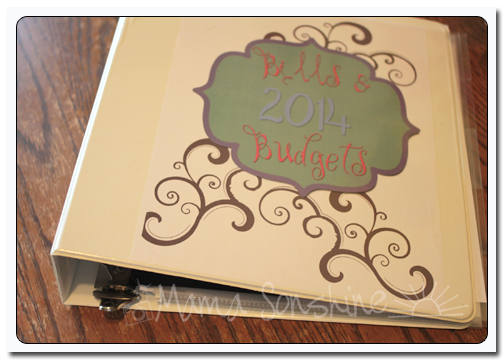
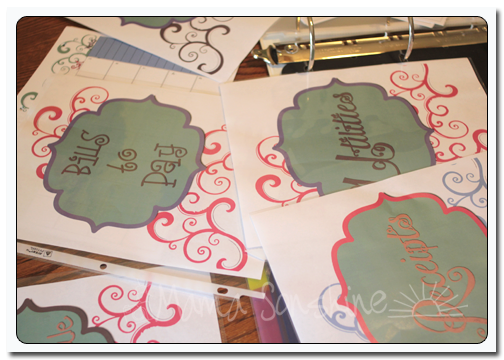
I have made this wonderful Bills & Budget binder.
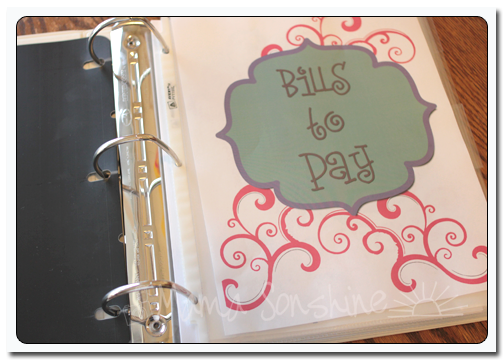
When a bill comes in the mail I will tear off the payment tab and place it in the “Bills to Pay” section.
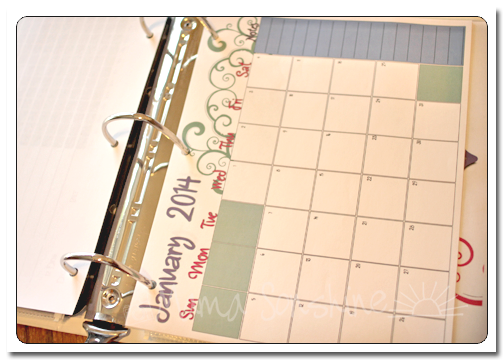
I will write down on the calendar when it is due and how much is due.
I will also have our pay days, with the amounts, and any other things that require money. Like if we have plans to go out to dinner or out-of-town. This will give me a nice visual where I can see the whole month at a glance.
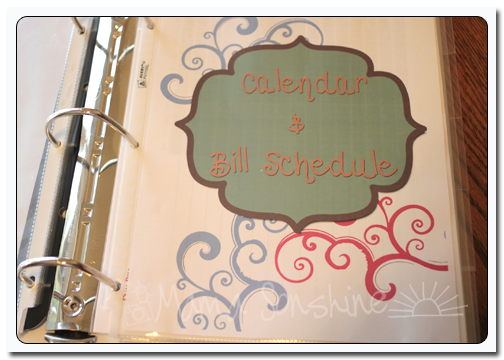
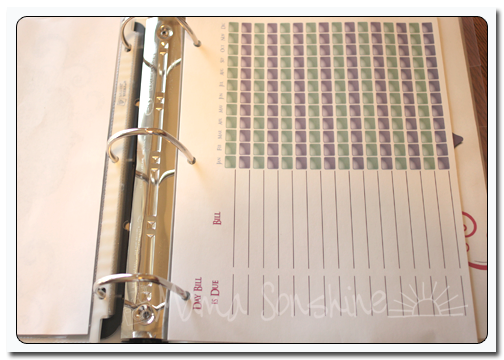
On the Bill Schedule page I will write down what day of the month the bill is due, and make a check mark in appropriate month box when it is paid. This will let me see at a glance if I have paid the bill for a specific month.
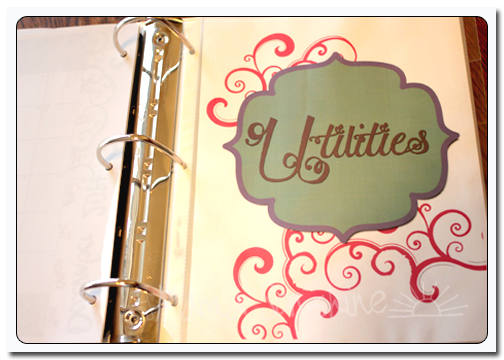
The actual detailed bill will be filled under the “Utilities” section, which is sorted by type of bill. This will stop me from putting everything in a pile that I never go through and loathe to file away.
Finally I have a section to place all my receipts. I will have an envelope for each month.
At the end of the year, the binder will go in the box with all our tax info.
In order to budget I am using a worksheet similar to this woman’s.
I will sit down and determine how much money we will have each week. Take your annual income and divide by 52 (as there are 52 weeks in the year).
Determine how much non flexible expenditures like mortgage or rent, car payments, and insurance. These don’t change on a monthly basis. Add them up and divide by 52.
After that you determine your slightly flexible ones, like electricity and water. While these might very slightly you can estimate them. Look back at the previous year, add them up and divide by 52. Do you see a pattern here?
Here is where things get tricky and stressful. What you have left can go towards food and fun and savings. You want to make sure you budget for the necessities, like food, but you also have to factor in things like eating out occasionally and gas. Plus if you have kids you will need clothes. Kids go through clothes like they do food. The young ones out grow them and the old ones wear through them. You might not be buying clothes all the time, but you want to make sure you can.
I think the main thing is to make figure out how much money you have each week, because a week is a short amount of time. What will be hardest for us at first is to get out of the schedule we have. I have to take out money from the paychecks to save, and yet still get bills paid.
Hopefully this will still allow us and you to have some left over for savings or the vacation fund.
If you want to download Ginny’s Budget worksheet you can do so here. (I don’t have one set up yet)
If you want to download the printables for my Budget Binder files, including a 2014 calendar, you can do so here.
I hope this helps to find you a budget friendly 2014.
What happened to the time? Is it really gonna be a new year this week?
I have had a nice break from cooking on a regular basis, but I really need to get back into the habit. I had to figure out something to cook last night and it was torture!
It is times like those that I really appreciate meal planning.
Right now the meal planning website I use, Plan to Eat, is offering 20% off gift subscriptions.
At first I was hesitant about spending money on this kind of service, but since I signed up two years ago I have not regretted it. The service just keeps getting better.
I love how easy it is to add recipes and search for them. It makes planning my week of meals so fast!
You can put recipes in your queue making them easy to find, that way you don’t end up cooking chicken all week-long.
Another wonderful feature is that once you plan a recipe, the ingredients go into your shopping list. Which you can go through and indicate the things you already have.
They have really tried to make the program more useful by combining the same ingredients. So if you are making chicken twice in one week it will add the two amounts together.
Since I have signed up in Sept of 2011, I have spent over 51 hours on the Plan to Eat website.
This discount is a great way to get someone you love organized with their meal planning.
I love reviving old family traditions, and making new ones. I love remembering fondly the things that I did as a child at Christmas time and the things I couldn’t wait to do again.
As an adult, I get to make sure our family participates in our traditions and make new ones.
Our Zoo does a light display that runs from Thanksgiving through the first weekend of the new year. There is no holiday theme to their display, it is of course about animals.
Typically we go see the Zoo Lights before Christmas, but that didn’t happen this year. There wasn’t as much time between the two holidays and Christmas came before I knew it. There was one week where we had time, but it was wicked cold out and thought of taking the boys out in that weather did not sound fun.
We kept saying ‘if the weather is nice we will do it tomorrow.’ Then tomorrow came, and we had no time. So we ended up going after Christmas. It was cold, but it was dry and there was no wind, so it wasn’t that bad.
Sid was mesmerized by the lights and the people. Ian loved the lights, but was disappointed the animals were not out. On the way home he said “I only got to saw one monkey. He climbed for me, an stayed up dat one night.”
I love the displays that look like the picture is moving. You know, the ones where the lights are on a timer and turn off and on down the line.
But my favorite thing about Zoo Lights is that they take in old lights. They used to use the lights they took in after determining what was wrong with them. Our zoo now only uses LED lights, but they do recycle lights strings. If you have lights that don’t work, or tangled, or you just want new ones, take them to the zoo. Don’t throw them away!










 I Tri and Craft